More remote employers now ask for a short video alongside or instead of a resume, which means a few solid video introduction tips for remote job applications can put you ahead of candidates who freeze up or ramble when the camera turns on. A video introduction isn't about being a natural performer; it's about having a clear structure, decent lighting, and a script you've actually practiced before you hit record.
Why Employers Ask For A Video At All
A video resume or video cover letter gives a remote employer something a written application can't: a sense of how you communicate, how you sound, and whether you come across as organized under a little pressure. For remote roles especially, where most communication happens over video calls and async recordings, this is a genuinely relevant thing to screen for before an interview.
How Long Should A Video Introduction Be
How long should a video introduction be depends on the instructions given, but when there's no specific limit, 60-90 seconds is the sweet spot. Long enough to cover your role, one proof point, and what you're looking for, but short enough that a busy recruiter watches the whole thing without getting restless. Going over 2 minutes risks losing attention before you reach your strongest point. If the application gives a hard limit, like 60 seconds exactly, treat that as a strict boundary rather than a rough guideline, and trim ruthlessly rather than talking fast to squeeze more in.
6 Steps To A Strong Video Introduction
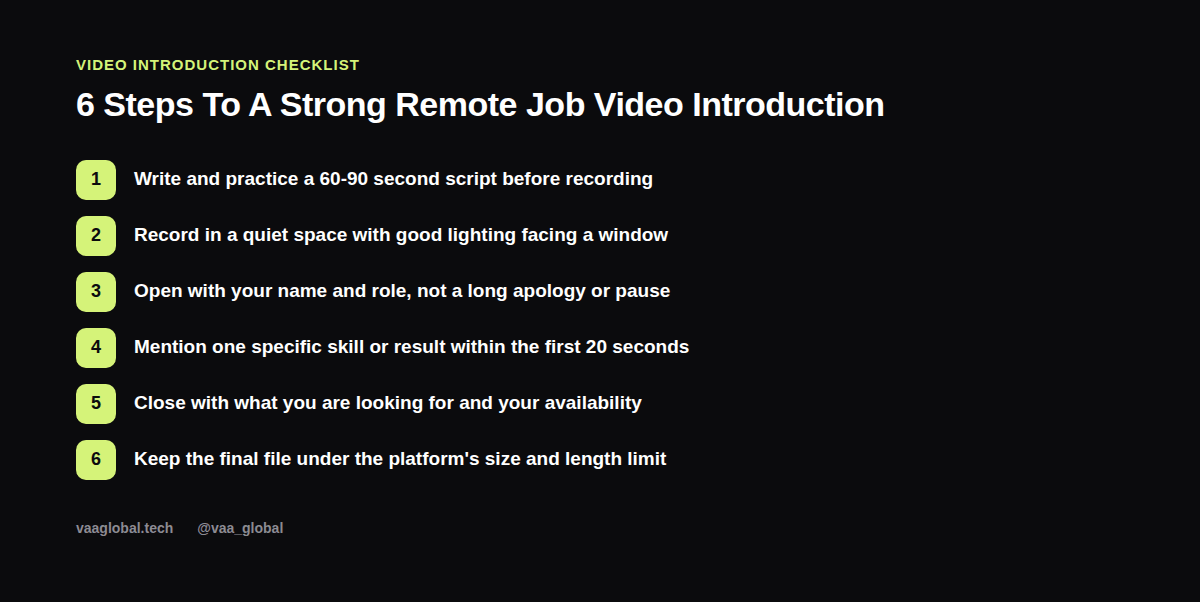
Write and practice a 60-90 second script before you ever press record. Find a quiet space with decent lighting, ideally facing a window rather than having it behind you. Open with your name and target role, skipping any long pause or apology. Mention one specific skill or result within the first 20 seconds, since that's the part most likely to actually get watched. Close with what you're looking for and your availability. And finally, check the platform's file size and length limit before you submit, since an oversized file can fail to upload at the worst possible moment.
What Should I Say In A Job Application Video
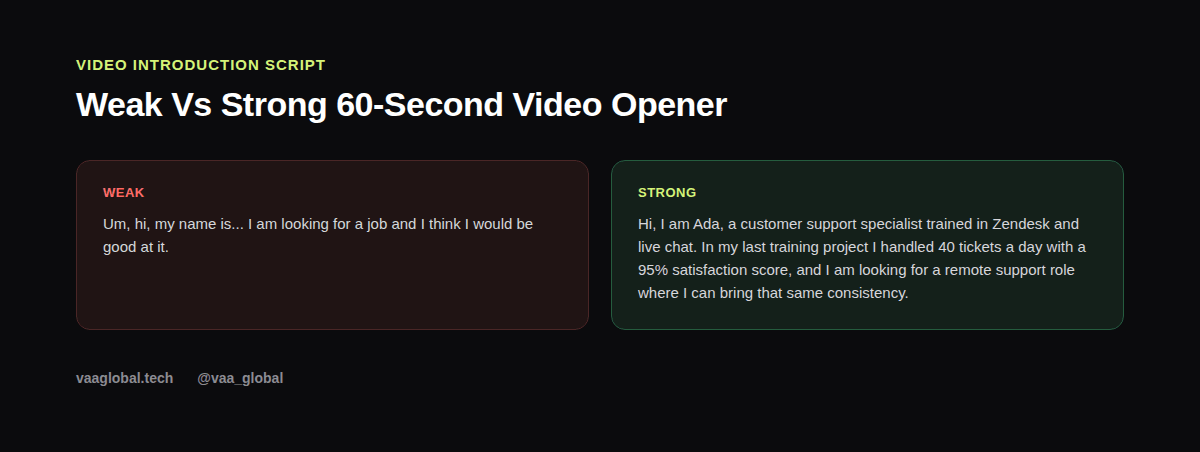
What should I say in a job application video follows a simple shape: who you are, what you do, one proof point, and what you want next. Here's a sample script you can adapt: "Hi, I'm Ada, a customer support specialist trained in Zendesk and live chat. In my last training project, I handled 40 tickets a day with a 95% satisfaction score, and I'm looking for a remote support role where I can bring that same consistency. I'm available to start immediately and comfortable working across US and UK time zones." Notice it names a role, a tool, a result, and availability, all in a few short sentences.
Do I Need Professional Equipment To Record A Job Video
Do I need professional equipment to record a job video is a worry that stops a lot of people before they even start, and the honest answer is no. A recent smartphone, a quiet room, and natural light from a window are enough for almost every application. What matters more than equipment is clear audio, steady framing, and a script you've rehearsed enough that you're not reading it word for word off a screen.
Practicing Without Sounding Robotic
Memorizing a script word for word often backfires by making you sound stiff. Instead, write bullet points for each section (name and role, one proof point, what you want) and practice speaking from those, so the wording changes slightly each take but the structure stays the same. Record two or three takes, and pick the one where you sound most like yourself rather than the most polished.
Handling Nerves On Camera
Feeling awkward in front of a camera is normal, even for people who are perfectly comfortable in person. A simple trick is to imagine you're explaining your background to one specific, friendly person rather than performing for an audience. Taking a breath before you start, smiling briefly before you speak, and sitting slightly forward rather than slumped can all make a noticeable difference in how confident you come across, even if you don't feel especially confident while recording.
Connecting Your Video To The Rest Of Your Application
Your video introduction should echo the same message as your resume summary and your LinkedIn headline, since consistency across every touchpoint is what makes a personal brand feel credible rather than scattered. If you're also preparing for a live interview, our guide on how to create an elevator pitch for a remote job interview uses a similar structure and is worth reviewing alongside this one. Once recorded, a short, well-made video can also be added to your LinkedIn Featured section, and LinkedIn's own help center has current specs for video uploads on the platform.
The Bottom Line
The best video introduction tips for remote job applications are really about preparation, not performance: a short script, decent lighting, a clear opening, and one specific proof point inside the first 20 seconds. Record a couple of takes, pick the one that sounds most like you, and treat it as one more consistent piece of your overall application.