Good LinkedIn headline examples for remote job seekers share one trait: they say what you do, who you do it for, and what makes you worth a second look, all in under 220 characters. Your headline shows up everywhere on LinkedIn, next to your name in search results, comments, and connection requests, so a vague one wastes the most visible real estate on your entire profile.
Why Your LinkedIn Headline Does More Work Than You Think
Recruiters searching LinkedIn for candidates often rely on keyword search before they ever open a profile. If your headline for remote work just repeats your current job title with nothing else, you're invisible to searches for the skills you actually have. A good headline functions like a mini resume summary that happens to live at the top of every LinkedIn page you appear on.
How To Write A LinkedIn Headline, Step By Step
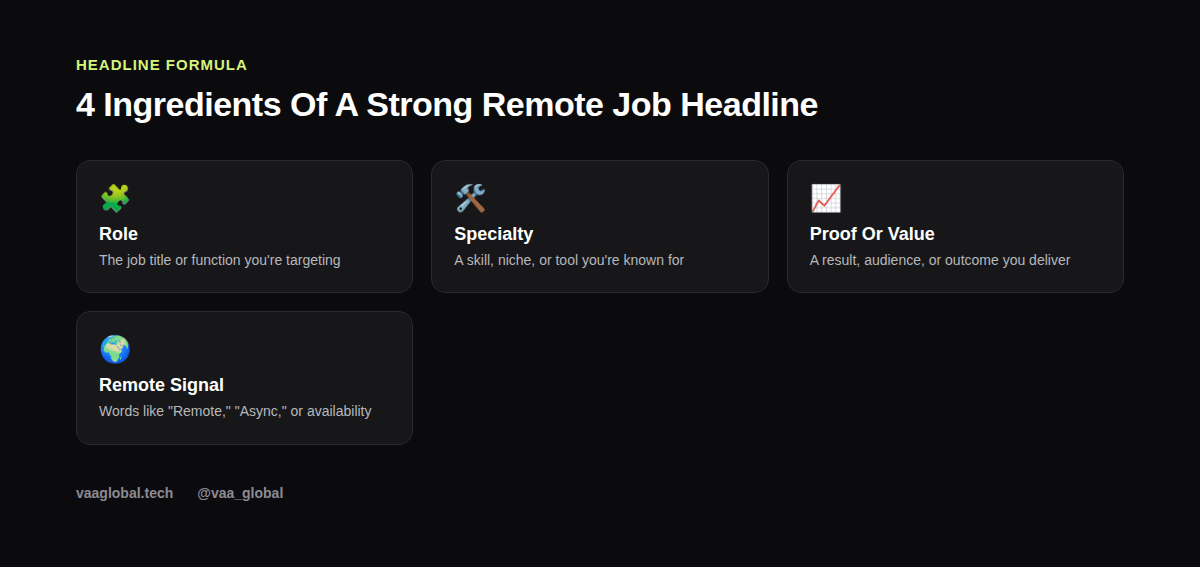
How to write a LinkedIn headline comes down to four building blocks: your role (the job title or function you're going for), a specialty (a skill, tool, or niche you're known for), a proof point or value statement (a result, audience, or outcome you deliver), and a remote signal (a word like "Remote" or an availability note). You don't need all four crammed into one sentence, but each should show up somewhere.
What Should My LinkedIn Headline Say If I Am Job Hunting
What should my LinkedIn headline say if I am job hunting depends on where you are in your search. If you're actively looking, it's fine to include a line like "Actively seeking remote opportunities" alongside your skills, but don't let that replace the substance. A headline that only says you're looking, with nothing about what you offer, gives a recruiter no reason to click through.
LinkedIn Headline Ideas By Career Stage
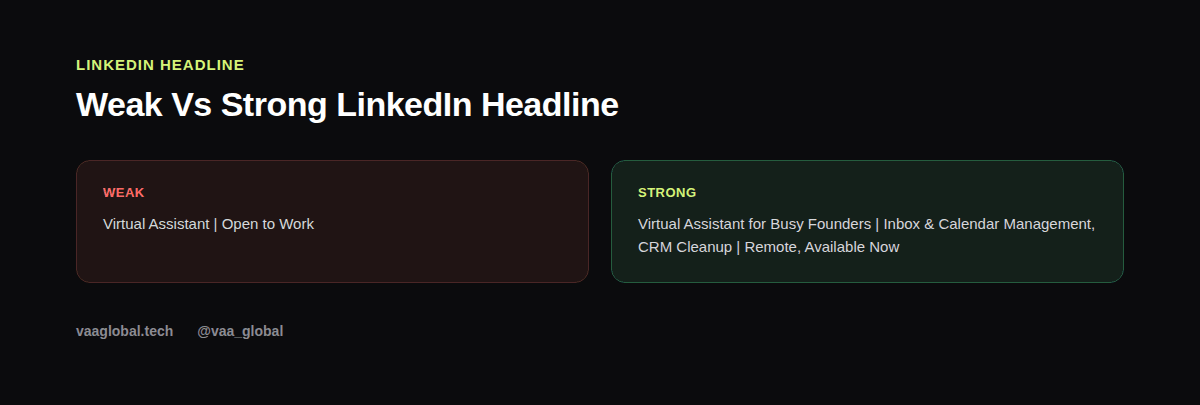
For someone brand new to a field: "Customer Support Specialist in Training | Zendesk & Live Chat | Remote-Ready, Available Immediately." For someone with a bit of experience: "Virtual Assistant for Busy Founders | Inbox & Calendar Management, CRM Cleanup | Remote, Available Now." For a career switcher: "Former Teacher Now Training in Data Analysis | Excel & SQL | Open to Remote Entry-Level Roles." Each one names a role, a specific skill, and a remote signal. For someone further along who's managing a team: "Operations Lead | Remote Team Management, Process Design | Scaled a 12-person support team across 4 time zones." Notice that none of these rely on adjectives like "passionate" or "driven"; every word is either a role, a tool, or a measurable detail a recruiter can search for or verify.
Should I Put Open To Work In My Headline
Should I put open to work in my headline is a common sticking point. LinkedIn already has a dedicated "Open to Work" banner feature you can turn on separately, so you don't need to repeat those exact words in your headline text. Use your actual headline space for specifics instead, like your target role and top skills, and let the banner handle the job-seeking signal.
How Long Can A LinkedIn Headline Be
How long can a LinkedIn headline be is worth knowing before you write one: LinkedIn allows up to 220 characters, though only the first 40-60 show up in search results and on mobile without expanding. Put your most important keyword and role near the start, and treat anything after that as a bonus for people who read the full line.
Common LinkedIn Headline Mistakes
The most common mistake is leaving the default headline LinkedIn generates from your current job title, which rarely reflects what you want to do next. Other mistakes include stuffing in every skill you've ever touched, using buzzwords with no specifics ("passionate go-getter"), and forgetting to update the headline after a career change or new certification. Once your headline is sharp, it's worth reviewing the rest of your profile against our guide on how to optimize your LinkedIn profile for remote jobs.
Connecting Your Headline To Your Resume And About Section
Your headline, resume summary, and LinkedIn About section should all tell a consistent story without being identical sentences. If your resume summary needs work too, see our post on how to write a resume summary that gets read, and keep the same core keywords across both so a recruiter sees one coherent professional, not two different people.
Where This Fits In Building Your Personal Brand
A sharp headline is one of the fastest, lowest-effort upgrades you can make to your personal brand, since it takes minutes to change but shows up constantly. For a broader look at the fundamentals, see how to build a personal brand as a remote professional. VAA Global students who've completed their course can also get their profile reviewed through the VAA Global CV and LinkedIn Review Tool, and once your profile is polished, students can check Career Bloom inside their student portal for course-matched roles (opportunities and support do not guarantee employment). LinkedIn's own help center has further detail on how headlines interact with search.
The Bottom Line
The strongest LinkedIn headline examples for remote job seekers all do the same job: they name a role, a specialty, a result, and a remote signal, instead of a vague phrase or a repeated job title. Spend ten minutes rewriting yours with those four pieces, and it'll work harder for you every single day it's live.