A LinkedIn About section that converts does something most people's don't: it gives the reader a reason to click "connect" or "message" instead of just scrolling past. This is the longest block of free text on your entire profile, and most people either leave it empty, copy their resume into it word for word, or fill it with generic lines about being "passionate" and "driven." None of that moves anyone to act.
What The About Section Is Actually For
Your headline gets someone to click your profile; your About section is what convinces them to act once they're there. It's where recruiters and potential clients decide whether you're worth a message, so it needs to read like a pitch, not an autobiography. Think of it as the long-form version of your LinkedIn headline, giving the context and proof your headline doesn't have room for.
What Should I Write In My LinkedIn About Section
What should I write in my LinkedIn About section comes down to five parts: a hook line naming who you help and how, 2-3 lines of specific experience or training, one or two concrete results, the tools or platforms you use, and a call to action. You don't have to use every part in every paragraph, but each one should appear somewhere in the full text.
The 5-Part Structure, Step By Step
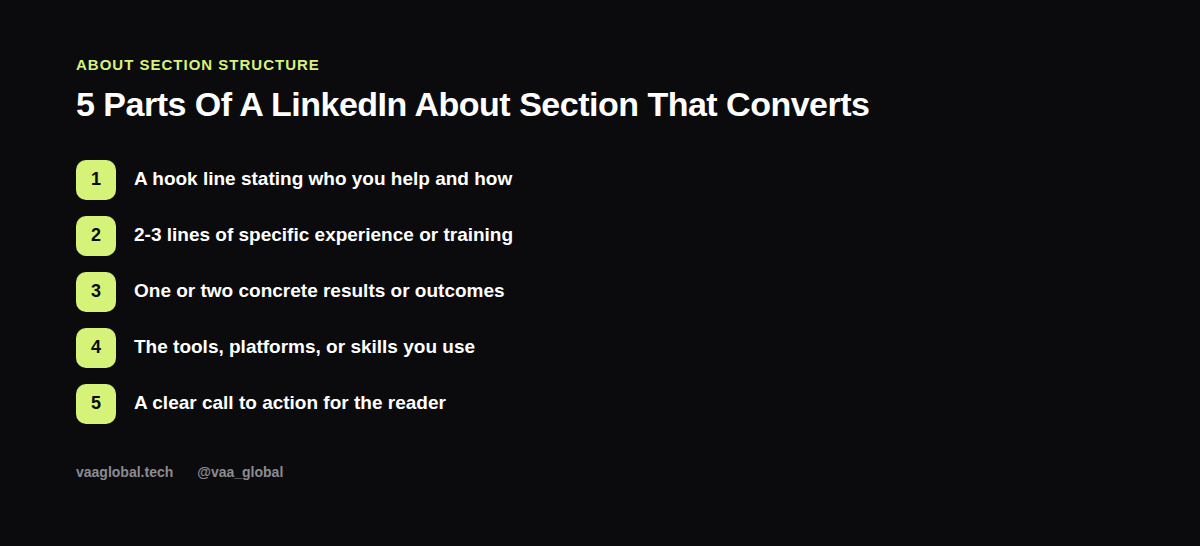
Start with a hook that names who you serve and how, written in a conversational tone rather than a corporate one. Follow with specific experience: what you've trained in, what you've worked on, what your background actually involves. Then add proof, a result or outcome you can point to, even from a course project if you're new. List the tools you use by name, since recruiters often search by software and platform. Close with a direct call to action, like inviting the reader to message you or check your portfolio.
LinkedIn Summary Example: Before And After
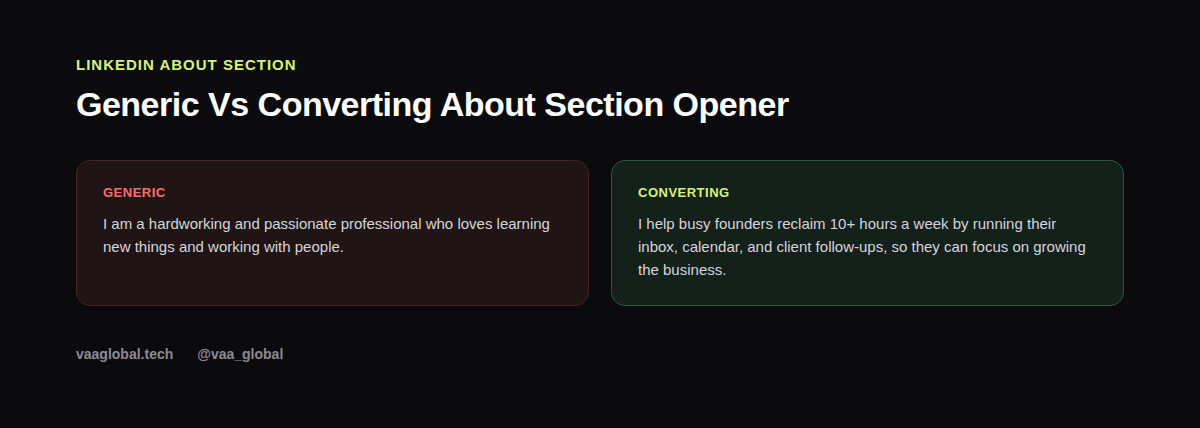
Here's a full LinkedIn summary example rewritten with that structure. Before: "I am a hardworking and passionate professional who loves learning new things and working with people. I am seeking opportunities to grow my career." After: "I help busy founders reclaim 10+ hours a week by running their inbox, calendar, and client follow-ups, so they can focus on growing the business. I trained as a virtual assistant through VAA Global, completed a live client simulation managing a 200-contact CRM, and I'm comfortable in Google Workspace, Trello, and Calendly. Looking to support a founder or small team remotely, full-time or part-time. Message me, I'd love to hear what you're working on."
How Long Should A LinkedIn About Section Be
How long should a LinkedIn About section be is a fair question since LinkedIn allows up to 2,600 characters. You don't need to fill all of it; 3-5 short paragraphs, roughly 150-300 words, is usually enough to cover all five parts without losing the reader's attention. Only the first two or three lines show before someone has to click "see more," so put your strongest hook right at the top.
Can I Write My LinkedIn About Section In First Person
Can I write my LinkedIn About section in first person is one of the most common formatting questions, and the answer is yes, almost always. Unlike a resume, which usually drops pronouns, the About section is meant to sound like you talking directly to the reader. First person ("I help," "I built," "I'm trained in") reads more natural and personal here than third person ever does.
Making It Easy To Scan
Even though it's written in paragraphs, break your About section into short chunks with line breaks between ideas rather than one dense block. Most people skim on mobile, and a wall of unbroken text gets skipped no matter how good the content is. Bullet-style line breaks for your tools or skills section also help it scan faster.
Common LinkedIn About Section Mistakes
The biggest mistake is copying your resume summary word for word, since it reads stiff in a conversational space. Other mistakes include writing it entirely about what you want rather than what you offer, forgetting a call to action entirely, and never updating it after a career shift. If you need a quick refresher on resume-specific summary writing, see our guide on how to write a resume summary that gets read for the resume-specific version of this same idea.
Where This Fits In Your Broader Profile
Your About section works best alongside a sharp headline, a complete experience section, and visible proof of work. Once it's written, line it up with the rest of your profile using our guide on how to optimize your LinkedIn profile for remote jobs, and if you're building a broader personal brand, see how to build a personal brand as a remote professional. VAA Global students can also run their profile through the VAA Global CV and LinkedIn Review Tool for feedback before going live, and LinkedIn's help center has additional formatting guidance for this section specifically.
The Bottom Line
A LinkedIn About section that converts reads like a short, specific pitch, not a resume paste or a list of adjectives. Open with who you help, back it up with real experience and results, list your tools, and tell the reader what to do next. That structure alone will outperform most of the profiles sitting next to yours.