Knowing the GRC tools every beginner should learn can make the difference between sounding like you've only read about governance, risk, and compliance and actually sounding like you've done the work. You don't need to master every platform on the market, but you do need a working sense of the main categories and how real GRC analysts use them day to day.
Start With Spreadsheets, Not Platforms
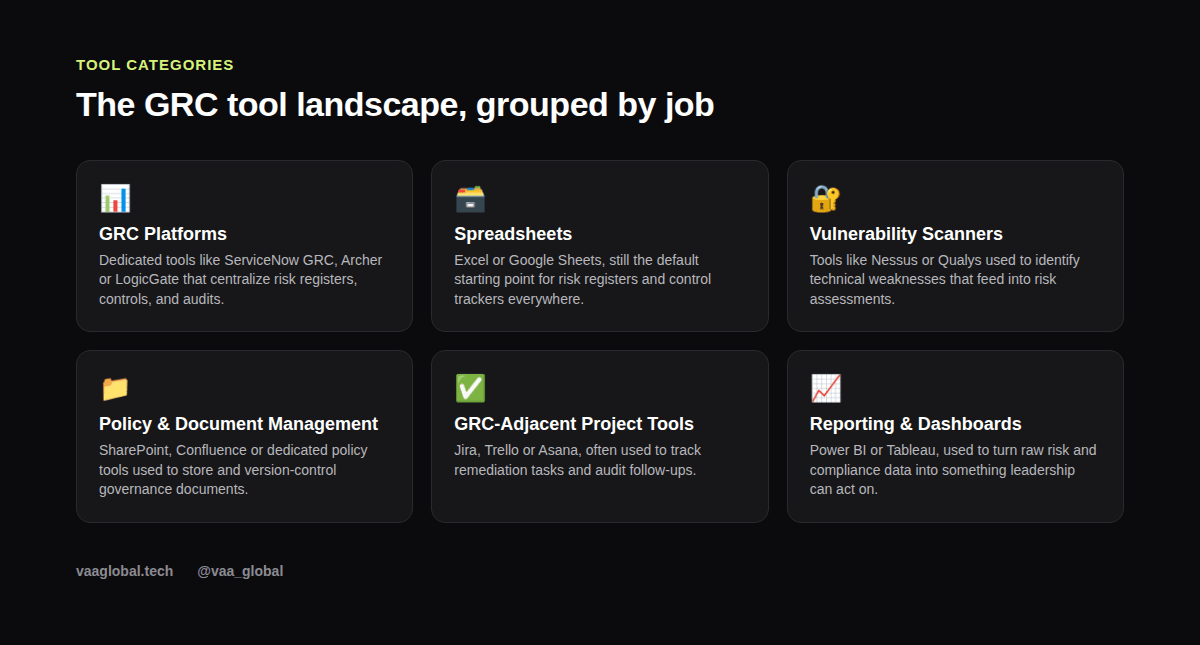
It might surprise you how much serious GRC software work still happens in Excel or Google Sheets. Many organizations, especially smaller ones, track their risk register, control testing results, and audit findings in spreadsheets long before (or instead of) investing in a dedicated platform. If you can build a clean risk register with likelihood/impact scoring and conditional formatting, you already have a genuinely useful skill.
Understand What Dedicated GRC Platforms Actually Do
Tools like ServiceNow GRC, RSA Archer, and LogicGate exist to centralize everything a spreadsheet struggles to scale: risk registers, a control framework library, audit workflows, and compliance evidence, all linked together and reportable in real time. As a beginner, you likely won't have paid access to these, but it's worth watching a few vendor demo videos or reading their public documentation so you understand what problem they're solving and can speak intelligently about it in an interview.
Vulnerability Scanners and Why GRC People Need to Understand Them
Even if you're not the one running them, GRC analysts frequently work with output from vulnerability scanners like Nessus or Qualys, because scan results feed directly into risk assessments. What software do GRC analysts use for this part of the job varies by employer, but understanding the general concept — scanning systems for known weaknesses and prioritizing fixes — matters more than mastering one specific brand.
Policy and Document Management
Governance work lives and dies by documentation — policies, procedures, evidence of control performance. Therefore, tools like SharePoint or Confluence, or dedicated policy management and compliance management software, are where most of that lives. For example, if you've ever organized documents in a shared drive with any kind of version control discipline, you already understand the basic principle at play here. Additionally, many organizations still store policy sign-offs and acknowledgements in simple tracking spreadsheets, so the skill transfers both ways.
Project-Tracking Tools You Probably Already Know
Jira, Trello, and Asana show up constantly in GRC work for tracking remediation items — the tasks that come out of an audit finding or risk assessment and need to actually get fixed. If you've used any of these for personal projects or in another role, that experience transfers directly.
Dashboards: Turning Data Into Something Leadership Will Read
A risk register nobody looks at is useless. Tools like Power BI, Tableau, or even Google Data Studio turn raw risk and compliance data into visuals that executives can actually act on quickly. Learning the basics of one of these, even using free sample datasets, is a genuinely high-leverage skill for a beginner's portfolio.
Is Excel Enough for GRC Work, Realistically?
Is Excel enough for GRC work at the entry level? For a surprising amount of it, yes. Plenty of junior GRC and compliance roles rely heavily on spreadsheets day to day, and being excellent at structuring data in Excel is rarely wasted effort, even once you move to a dedicated platform later.
How to Practice Without a Job
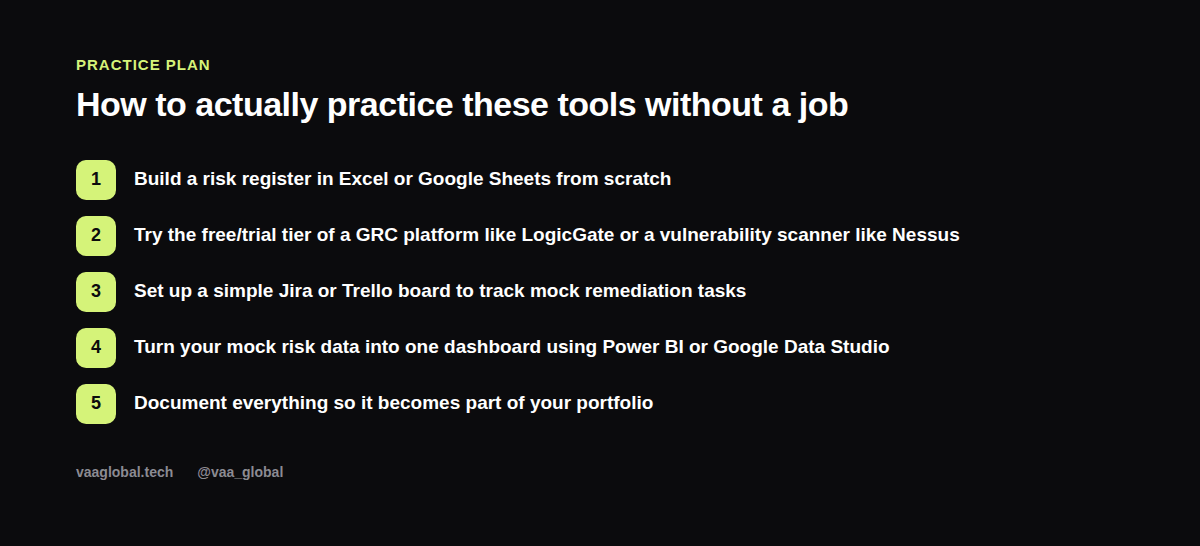
How to practice GRC tools without a job comes down to building your own sandbox: create a mock risk register in Google Sheets, try the free trial of a GRC platform or vulnerability scanner, set up a Trello board for fictional remediation tasks, and build one dashboard from sample data. Document each step — this becomes the backbone of the kind of project work covered in our guide on building a GRC portfolio with no experience.
Do I Need to Learn a Specific GRC Tool Before Applying?
Do I need to learn a specific GRC tool before applying for jobs? Not really, and don't let the alphabet soup of platform names scare you off. Most employers expect to train you on their specific GRC platform examples internally. What they're actually screening for is whether you understand the underlying concepts — risk, controls, evidence, remediation — well enough to pick up any given tool quickly. If you want a technical head start, VAA Global's Cybersecurity course covers vulnerability management hands-on, which overlaps directly with how GRC analysts interpret scanner output. Meanwhile, if you're specifically weighing ISACA-aligned skills against this tooling knowledge, it's worth reading ISACA's own resources on how its certifications map to real-world risk and audit tool usage, since the concepts behind the exams and the concepts behind the software are the same.
The Bottom Line
You don't need a license for every platform on the market to be credible — you need working fluency in the GRC tools every beginner should learn: spreadsheets, the concept of a dedicated GRC platform, vulnerability scan output, policy documentation, task tracking, and basic dashboards. Build small, honest practice projects with free tools and trials, and you'll walk into interviews able to talk about this software like someone who's actually used it, even without a job title yet. For comparison, the general tooling mindset covered in our common cybersecurity tools beginners should learn article applies here too.