Video interview body language mistakes trip up even strong candidates, mostly because talking to a camera feels so different from talking to a real person sitting across the table. Your words might be exactly right, but if your posture, eye contact, or expression reads as nervous or disengaged on screen, the interviewer's gut impression can quietly work against you before you've even finished your answer.
Why Does Eye Contact Feel Weird on a Video Call?
In person, eye contact happens naturally because you're looking at the other person's face. On a video call, your instinct is to look at their face on the screen, which is slightly off from where your camera actually sits — so to them, you look like you're glancing down or away. That small offset is why video eye contact feels unnatural at first, and why it needs a bit of deliberate practice.
Where Should I Look During a Video Interview?
Look directly at your camera lens, not at the interviewer's face in the video window, especially when you're speaking. It feels strange because you lose the ability to read their reaction in real time, but to them, it reads as direct, confident eye contact. When they're speaking and you're listening, it's fine to glance at their face on screen — the mismatch matters most while you're talking.
Getting Your Camera Angle Right
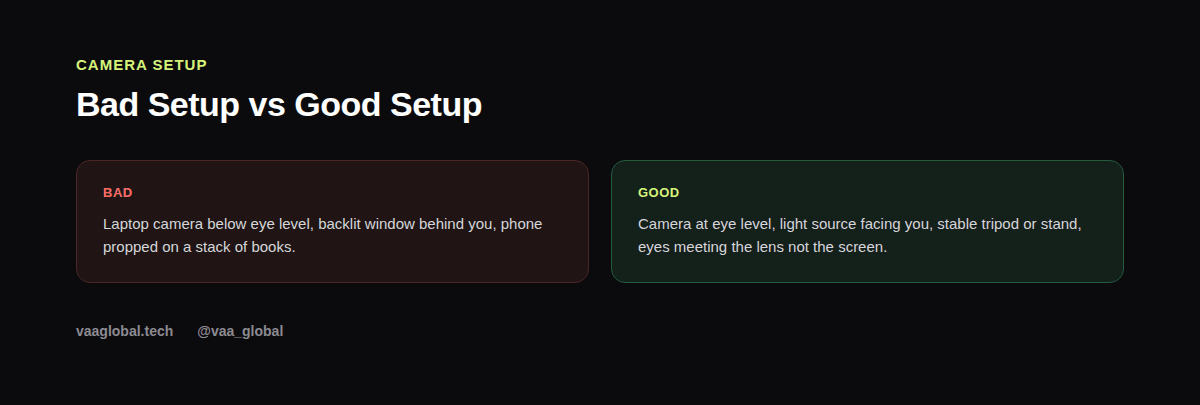
Position your camera (or laptop) so the lens sits roughly at eye level, not pointed up at your chin or down from above. A stack of books or a small stand works fine if you don't have a dedicated setup. Sit about an arm's length from the screen so your head and shoulders are visible without being too close or too far. Test this once before the interview by recording a short clip of yourself, not just glancing at the live preview.
How Do I Look Confident on a Video Interview?
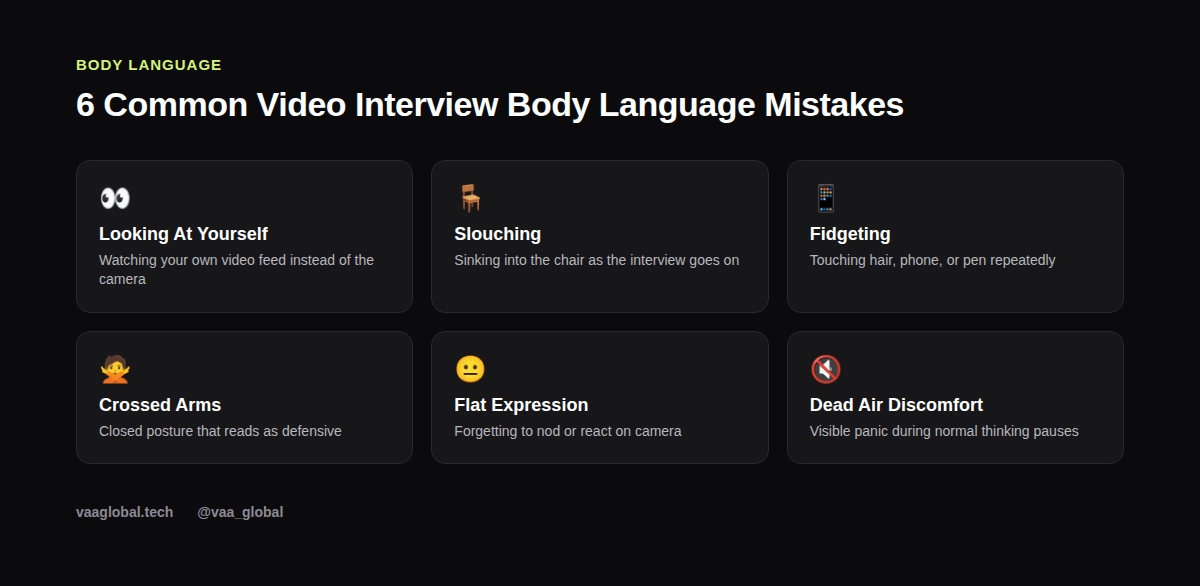
Confidence on camera comes from a combination of posture, stillness, and expression. Sit upright with your shoulders back rather than leaning into the screen, keep your hands visible and relatively still (resting on the desk or lightly gesturing, not hidden or clenched), and let your face move naturally — nod occasionally, smile when appropriate, and avoid the flat, frozen expression many people default to when they're focused on their words. These habits read as composed rather than nervous, even if you're actually nervous underneath.
How Do I Stop Fidgeting on Camera?
Fidgeting (touching your hair, clicking a pen, checking your phone) reads much louder on video than it does in person, since the camera frames mostly your upper body and face. Keep your hands resting somewhere neutral, like loosely clasped on the desk, and remove obvious temptations before the call — put your phone out of reach, clear the desk of fidget objects, and if you tend to touch your face when nervous, consciously plant your hands elsewhere at the start of the call.
Lighting That Helps Rather Than Hurts
Poor lighting makes even good posture and expression hard to read. Face a light source (a window or lamp) rather than sitting with it behind you, which creates a silhouette effect. Natural daylight facing you is usually the easiest fix; if that's not available, a simple desk lamp angled toward your face works well too. This matters as much as anything else in your overall remote job interview preparation, since a dark or washed-out video can distract from everything you're actually saying.
Handling Normal Pauses Without Panicking
Silence feels longer on video than it does in person, and many candidates rush to fill it, which leads to rambling. A brief pause to think before answering is completely normal and reads as thoughtful, not awkward, as long as your posture and expression stay relaxed during it. If you lose your train of thought, it's fine to say so calmly and restart, rather than pushing through a sentence that's clearly fallen apart.
Testing Your Setup Before the Real Interview
Run a full test video call with a friend, or record yourself answering one practice question, a day or two before the interview — not five minutes before. This gives you time to fix lighting, camera angle, or background issues, and pairs naturally with broader mock interview practice you can do alone. Watching that test recording is often the fastest way to notice your own nonverbal communication habits.
What Research Says About Nonverbal Communication
Studies on nonverbal communication consistently find that posture, facial expression, and virtual interview presence shape first impressions faster than the actual content of what's said. Psychological research on communication backs this up: people form snap judgments about confidence and trustworthiness within seconds, largely from nonverbal cues rather than words. On a video call, where you have less information to work with than an in-person meeting, those cues carry even more weight, which is exactly why fixing small habits like camera angle and posture pays off disproportionately.
Dressing and Framing for the Camera
Body language mistakes aren't only about movement — framing matters too. Make sure your head and shoulders are centered in the frame, not pushed to one side or cut off at the top. Dress as you would for an in-person interview from the waist up at minimum, since sudden movement (standing up, leaning far out of frame) draws attention in a way it wouldn't in person. A tidy, well-lit, centered frame quietly signals the same preparedness as a firm handshake would face-to-face.
The Bottom Line
Most video interview body language mistakes come down to small, fixable habits: wrong eye line, poor camera angle, closed posture, or visible fidgeting. Catch these ahead of time with a test run, and you'll walk into your actual interview after researching the company properly looking as composed on screen as you feel prepared on paper.