If you're applying for remote roles and barely hearing back, the problem often isn't your experience — it's your profile. LinkedIn profile mistakes are one of the most common, most fixable reasons qualified candidates get overlooked by recruiters searching for remote talent. A recruiter scans a profile in seconds, and if the headline is vague, the photo is missing, or nothing signals you're open to remote work, they move on before they ever read your experience section.
1. Skipping the Photo (Or Using a Bad One)
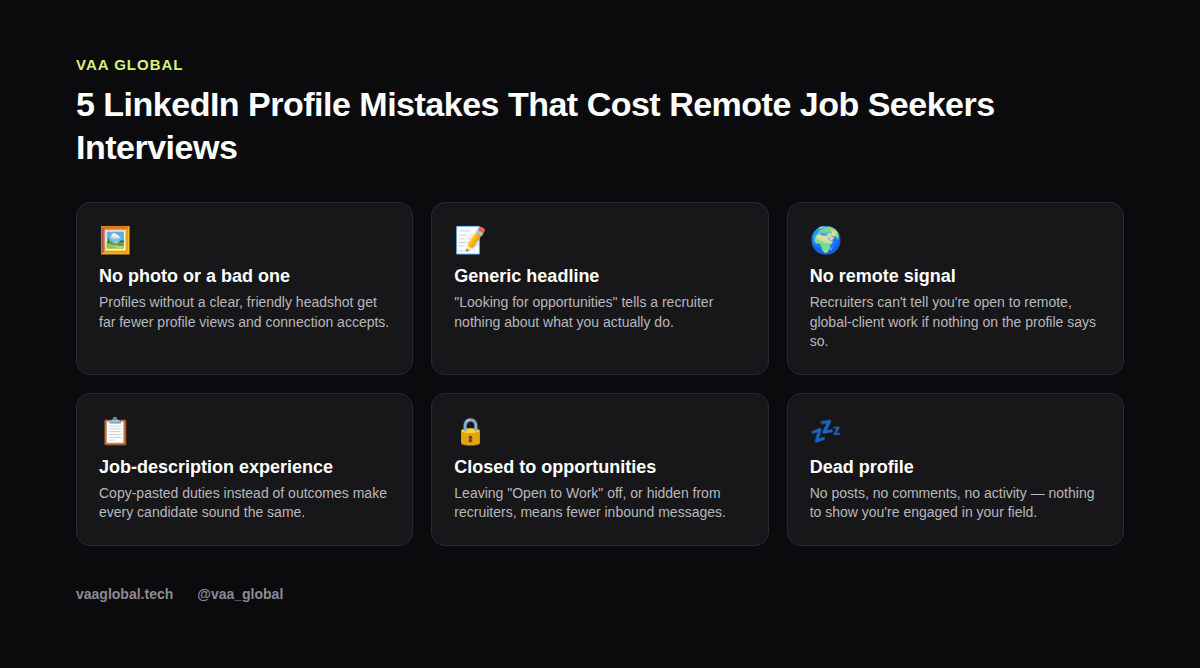
LinkedIn is still a professional network, which means your photo matters more than it does on other platforms. Profiles with a clear, well-lit headshot get significantly more views and connection requests than profiles without one. You don't need a studio shoot — a recent photo, good lighting, a plain background, and a genuine smile is enough. Skip the vacation photo, the group shot, and anything blurry, because first impressions here are fast and mostly visual.
2. Writing a Headline That Says Nothing
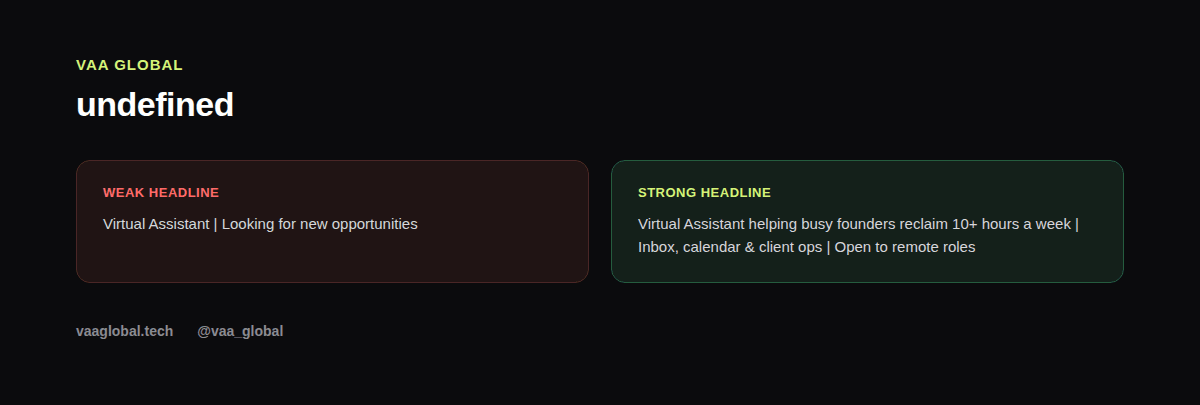
"Virtual Assistant | Open to opportunities" or "Seeking new role" is a wasted 220 characters. Your headline is the second thing people see after your name, and it's indexed whenever someone runs a recruiter search. A strong headline for remote jobs names your role, your value, and the fact that you work remotely — something like "Virtual Assistant helping founders reclaim 10+ hours a week | Remote" tells a recruiter exactly who you are in one glance, without them clicking into your full profile.
3. Never Mentioning That You're Open to Remote Work
This sounds obvious, but it's one of the most overlooked LinkedIn profile mistakes. If nothing in your headline, About section, or job titles signals remote availability, you simply won't surface when a recruiter filters for remote candidates. Mention it in at least two places: your headline and your About section. If you already know how to find remote recruiters on LinkedIn, you'll also know they filter hard on this exact signal, which is part of why your LinkedIn profile is not getting views in the first place.
4. Listing Duties Instead of Outcomes
"Managed email inbox and scheduled meetings" describes a task. "Cut a founder's inbox response time in half by triaging and drafting replies daily" describes a result. Recruiters read dozens of profiles a day, and outcome-based bullets are what make yours memorable. Go back through your experience section and ask, for each line: so what actually happened because I did this?
5. Leaving Open to Work Off (Or Set Wrong)
LinkedIn's "Open to Work" feature lets you signal to recruiters specifically — without putting the green banner on your public photo if you'd rather keep that private from your current employer. Many job seekers either never turn this on or set it visible only to connections, which quietly removes them from recruiter search results entirely. As a result, months can pass with no inbound messages, even from a strong profile.
6. An Empty Activity Feed
A profile with zero posts, comments, or shares in the last six months reads as inactive, even if you're actively job hunting. You don't need to post daily. Commenting thoughtfully on a few posts a week in your field, or resharing an article with a short take, keeps your profile visible and signals that you're engaged — which matters when you're also trying to optimize your LinkedIn profile for remote jobs more broadly. For example, a short comment on a hiring manager's post can do more for visibility than a week of silent scrolling.
7. A Skills Section That Doesn't Match the Jobs You Want
LinkedIn's search and recommendation system leans heavily on your Skills section. If you're applying for virtual assistant or ops roles but your top skills are leftover from a previous, unrelated job, update them. Pin the five or six skills most relevant to the remote jobs you're targeting at the top of the list, and ask a couple of former colleagues or classmates to endorse them. This single change is often the fastest way to fix your LinkedIn profile for remote work, because it directly affects which searches surface you.
8. No Custom URL or Messy Formatting
A LinkedIn URL that's still a string of random numbers, or a profile with inconsistent capitalization and spacing, is a small thing, but it adds up. Customize your profile URL (it takes thirty seconds in settings) and give the whole page one more read-through for typos and formatting before you call it done. Small details like this won't land you a job on their own, but they do quietly signal attention to detail to anyone reviewing your profile.
9. Treating LinkedIn as a One-Time Project
Plenty of job seekers spend an afternoon polishing their profile, then never touch it again. Instead, treat it the way you'd treat a resume during an active search: revisit it every couple of weeks, add new skills as you pick them up, and update your headline if your target role shifts. A profile that evolves alongside your search performs better than one that was perfect once, months ago.
The Bottom Line
None of these LinkedIn profile mistakes require starting over — most take fifteen minutes to fix once you know what to look for. Add a real photo, rewrite your headline, name remote work explicitly, turn outcomes into bullet points, flip on Open to Work, and show a little activity. Do those six things and your profile starts doing part of the job search for you. If you're also rebuilding your resume alongside your LinkedIn profile, it's worth reviewing common resume mistakes remote job seekers make at the same time, since the same outcome-focused thinking applies to both documents. For a structured, line-by-line pass, the VAA Global CV and LinkedIn Review Tool is built for exactly this kind of cleanup, and a source like the LinkedIn optimization guide from The Muse is a good second opinion if you want more detail on any one section.