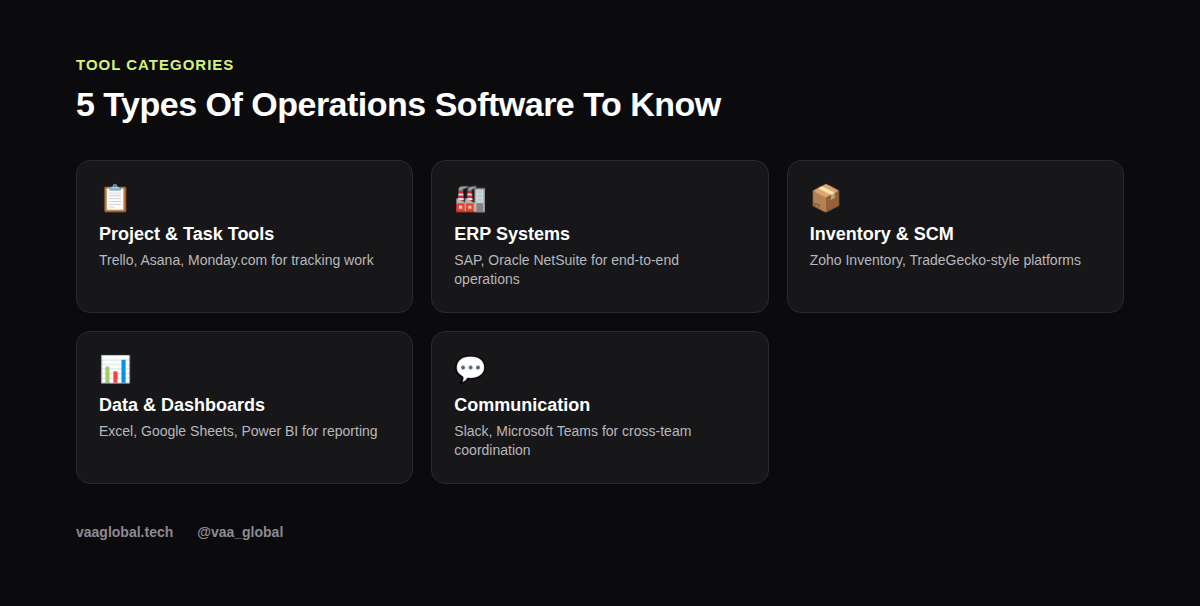
Operations management tools and software beginners should know fall into five broad categories: task tracking, enterprise resource planning, inventory and supply chain systems, reporting dashboards, and team communication platforms. Because job postings often list specific tool names as requirements, beginners sometimes panic and try to learn ten platforms at once. However, understanding the category each tool belongs to, and learning one tool deeply per category, gets you further than shallow exposure to everything on the market.
Why Tool Knowledge Matters Early In Your Career
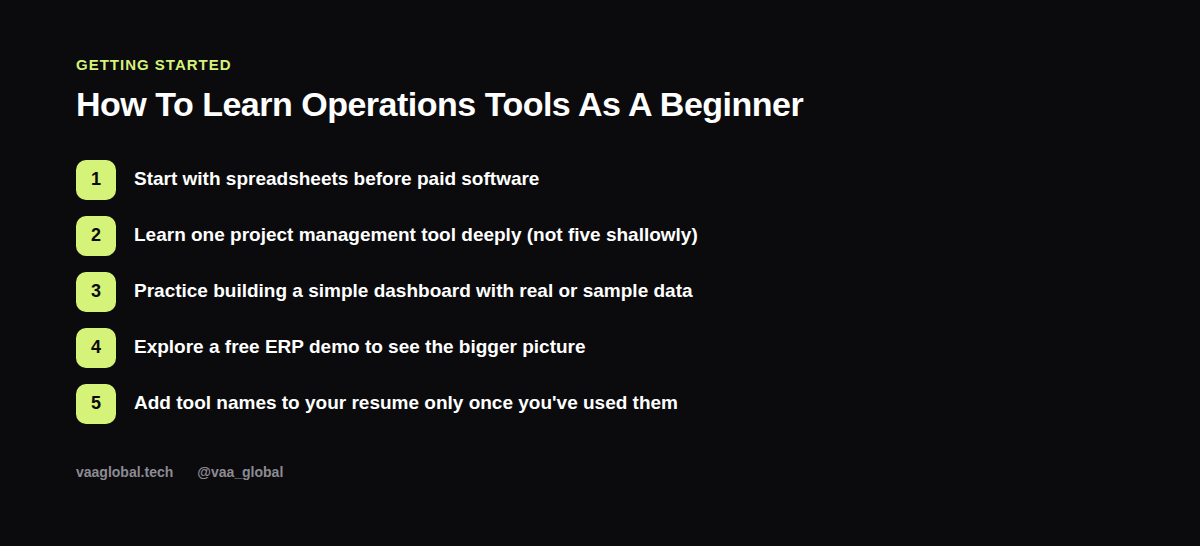
Operations roles are evaluated partly on how quickly you can get productive, and tool familiarity is a visible proxy for that. A candidate who has built a dashboard before, even informally, looks lower-risk than one who has only read about dashboards. Because of this, listing specific tools on your resume, backed by real examples of how you used them, carries more weight in operations hiring than it does in many other fields.
Spreadsheets: The Tool You Cannot Skip
Before touching any paid software, get genuinely comfortable with spreadsheets. Pivot tables, basic formulas like SUMIFS and VLOOKUP, and simple charts cover a surprising share of real operations work, from tracking a weekly KPI to building a quick inventory count. Many operations dashboards in smaller companies, and even some in larger ones, still run entirely on a well-built spreadsheet rather than a dedicated platform, so this is not a skill you outgrow once you learn fancier tools.
Project Management Software For Tracking Work
Project management software like Trello, Asana, or Monday.com helps teams track tasks, deadlines, and ownership across a process. As a beginner, pick one and learn it properly rather than skimming five. Build a sample board for a process you understand, such as onboarding a new hire or fulfilling an order, with columns for each stage and cards moving through them. This single exercise teaches you more about workflow automation than reading a dozen feature comparisons ever will.
ERP Systems: The Backbone Of Larger Operations
Enterprise resource planning (ERP) systems like SAP and Oracle NetSuite tie together finance, inventory, procurement, and production into one platform, which is why larger operations teams rely on them so heavily. Most beginners will not have hands-on access to a live ERP system, and that is fine; what matters is understanding what an ERP system is used for conceptually; namely, giving everyone in the organization a shared, real-time view of the same operational data instead of ten disconnected spreadsheets.
Inventory And Supply Chain Software
If your operations work touches physical goods, inventory management tools matter a great deal. These systems track stock levels, reorder points, and movement between locations, and they connect directly to metrics like inventory turnover. If supply chain terminology is unfamiliar, supply chain management explained and supply chain vs logistics difference are worth reading before you dive into specific software, since the vocabulary will make the tools themselves click faster.
Dashboards And Reporting Tools
Operations dashboards turn raw numbers into something leadership can act on quickly. Google Sheets and Excel remain the most common starting point, while tools like Power BI or Tableau become relevant once data volume grows. The Microsoft Power BI documentation is a genuinely useful free resource for understanding how dashboard tools structure data visually, even if you never touch the paid product. For a sense of which numbers belong on a dashboard in the first place, see key metrics every operations manager should track.
Communication Tools That Keep Operations Running
Slack and Microsoft Teams are not operations-specific tools, but operations managers rely on them constantly for cross-team coordination, escalations, and quick status checks. Learning to structure channels and threads cleanly, rather than letting everything collapse into one chaotic feed, is a small but genuinely useful operational skill in itself, since disorganized communication tools create the exact kind of friction operations management is supposed to eliminate.
How To Learn These Tools Without A Job Yet
Most of these platforms offer free tiers or trial versions specifically because they want users to build habits before committing to a paid plan. Use that. Build a sample project tracker, a mock dashboard with sample sales data, and a short written explanation of what an ERP system would add if your sample project scaled up. A structured operations management course covering technology in operations alongside process design and supply chain management can also shortcut a lot of this trial-and-error learning.
Documenting Your Process: SOPs And Integration
Tools only help if the process behind them is written down clearly. A standard operating procedure (SOP) turns tribal knowledge, the kind that lives only in one person's head, into something a whole team can follow consistently. When you are evaluating any new tool, also ask how well it handles integration with the systems your team already uses, since a brilliant platform that cannot share data with your existing spreadsheet or CRM often creates more manual work than it saves. Beginners who get comfortable writing a clear SOP for even one simple process, like onboarding a new vendor, tend to pick up new software faster later, because they already understand the underlying workflow the tool is trying to support.
The Bottom Line
You do not need to master every platform on this list before applying for your first operations role; you need working familiarity with the categories and real hands-on practice with at least one tool per category. Because operations management tools and software beginners should know are ultimately just vehicles for process thinking, the thinking matters more than the specific logo on the tool you end up using.