Once you're applying to more than four or five jobs, memory stops being a reliable system. A job search tracker spreadsheet is the single easiest fix for the chaos of scattered emails, forgotten follow-ups, and losing track of which recruiter said what. It takes fifteen minutes to set up and saves hours of confusion later, especially once you're juggling multiple conversations at different stages.
Why You Need One at All
It's easy to think you'll remember which companies you applied to and when. In practice, after two or three weeks of active searching, most people can't recall whether they followed up with a recruiter from ten days ago or what salary range came up in a screening call. A tracker removes that guesswork and lets you organize your job search around facts instead of memory.
Pick a Tool That's Always Accessible
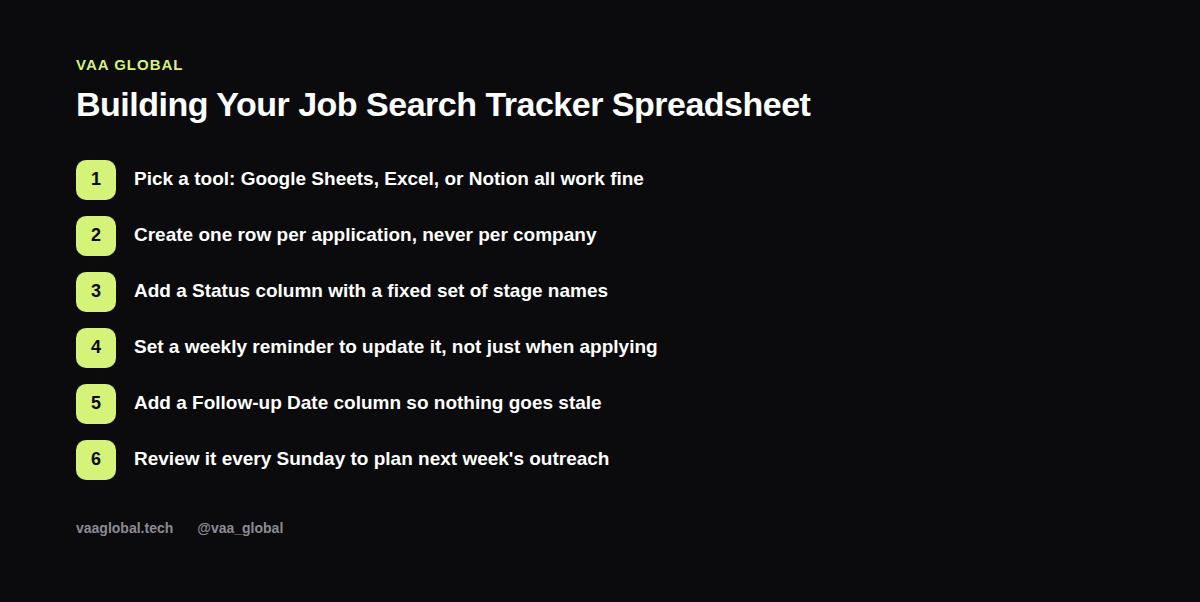
Google Sheets is the simplest choice because it's free, syncs automatically, and opens on your phone if you need to check something during a commute. Excel and Notion both work fine too — the tool matters less than actually using it consistently. Whatever you pick, make sure it's somewhere you'll open daily during an active search, not buried in a folder you forget about.
The Columns That Actually Matter
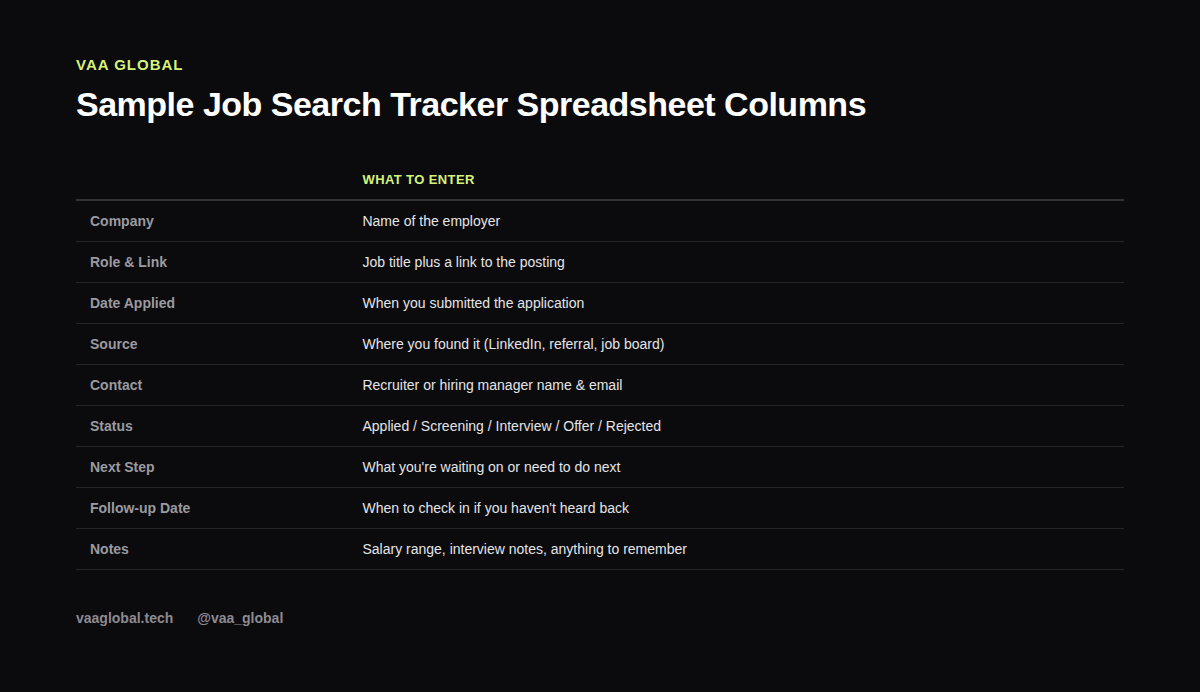
Keep the structure simple enough that updating it takes thirty seconds, not five minutes. A solid job application spreadsheet includes: Company, Role & Link, Date Applied, Source (LinkedIn, referral, job board), Contact, Status, Next Step, Follow-up Date, and Notes. Resist the urge to add ten extra columns you'll never fill in — a tracker you actually maintain beats a perfect one you abandon after a week.
Use a Fixed Set of Status Labels
Don't freestyle your Status column. Pick five or six fixed labels — Applied, Screening, Interview, Offer, Rejected, Withdrawn — and stick to them. This is what lets you glance at the sheet and instantly know where every application stands, and it also makes it easy to filter or color-code rows by stage later.
Add a Follow-Up Date, Not Just an Applied Date
This is the column most trackers skip, and it's the one that matters most for staying proactive. Every time you apply or have a conversation, set a specific follow-up date — typically seven to ten business days out — so you know exactly when to send a polite check-in instead of wondering whether it's “too soon” or “too late.”
One Row Per Application, Never Per Company
If you apply to three different roles at the same company, that's three rows, not one. Each application has its own timeline, contact, and status, and collapsing them into a single row is a fast way to lose track of which conversation is which.
Build a Weekly Review Habit
A tracker only works if you actually look at it. Set a recurring fifteen-minute block, ideally the same time every week, to review every open row: what's overdue for follow-up, what needs a next step, and what's gone quiet long enough to mark as inactive. This single habit is often what separates a job search tracker spreadsheet that's actually organizing your job search from one that's gathering digital dust. If you're still asking what should I track when applying for jobs, the honest answer is: everything that would otherwise live in your memory or your inbox.
Track Rejections Too — Don't Just Delete Them
It's tempting to delete a row the moment you get a rejection, but keeping it (just marked Rejected) gives you useful data over time: which sources are converting, which types of roles you're getting furthest with, and where your applications are stalling. If you're also working through how to handle rejection during a remote job search, having this record helps you see patterns instead of just feeling discouraged.
Keep It Simple Enough to Actually Use
The biggest failure mode with any job search tracker spreadsheet isn't a missing feature — it's abandonment. If you find yourself avoiding updating it because it's become too complicated, strip it back down to the core columns. A simple sheet you update daily beats an elaborate one you touch once a month, and this same principle is why remote work productivity tools worth trying tend to be the plain, low-friction ones rather than the most feature-packed.
A Quick Note on Sharing Your Tracker
If you're getting help from a mentor, a friend, or a career coach, consider sharing view or comment access to your spreadsheet rather than describing your application status over text message every few days. It saves everyone time, and application status, next steps, and notes all stay in one place that anyone helping you can check whenever they have a few minutes.
The Bottom Line
Setting up a job search tracker spreadsheet takes less time than writing one cover letter, and it pays off every single week you're actively applying. Start with the core columns, pick fixed status labels, add a follow-up date to every row, and review it on the same day each week. Pair it with turning your LinkedIn into a job search tool and with signs your remote job search strategy isn't working to catch problems early, and consider a free template structure like the one The Muse outlines for a job search spreadsheet if you want a starting point to copy.