Remote work doesn't erase every rule tied to the healthcare industry, which is exactly why medical virtual assistant OSHA compliance basics still come up, even though you'll be working from home rather than inside a clinic. OSHA, the Occupational Safety and Health Administration, mainly regulates workplace safety in the United States, and most of its specific rules were written with physical worksites in mind. Still, understanding what OSHA generally covers, and what it doesn't, helps you speak confidently about workplace safety topics during interviews and on the job.
What OSHA Actually Regulates
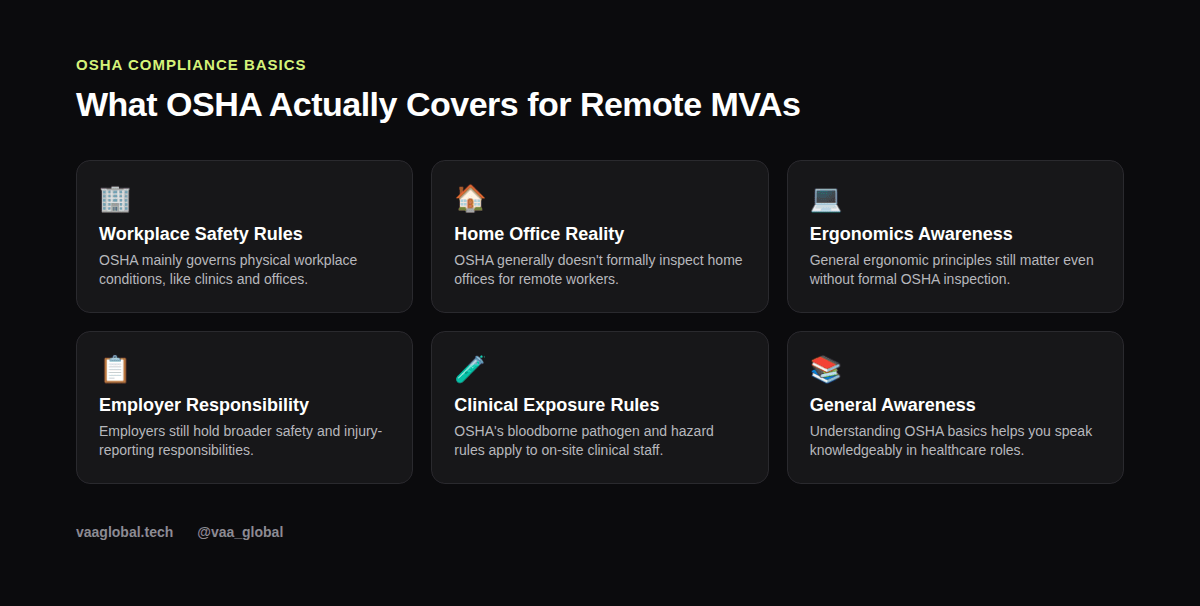
OSHA, part of the US Department of Labor, sets and enforces standards meant to keep physical workplaces safe. In healthcare settings specifically, this includes rules around things like bloodborne pathogen exposure, hazardous materials, and general facility safety for staff who work on-site in clinics, hospitals, and labs.
Does OSHA Apply to Remote Workers?
So, does OSHA apply to remote workers the same way it applies to someone working inside a clinic? Generally, no, not in the formal inspection sense. Because OSHA's core framework was written around physical worksites, a home office generally isn't subject to the same formal inspection process that applies to a clinic.
Why Remote Work Changes the Picture
That doesn't mean workplace safety stops mattering once you're remote; it just shifts from regulatory oversight to personal responsibility and basic common sense.
What Does OSHA Regulate in Healthcare Overall?
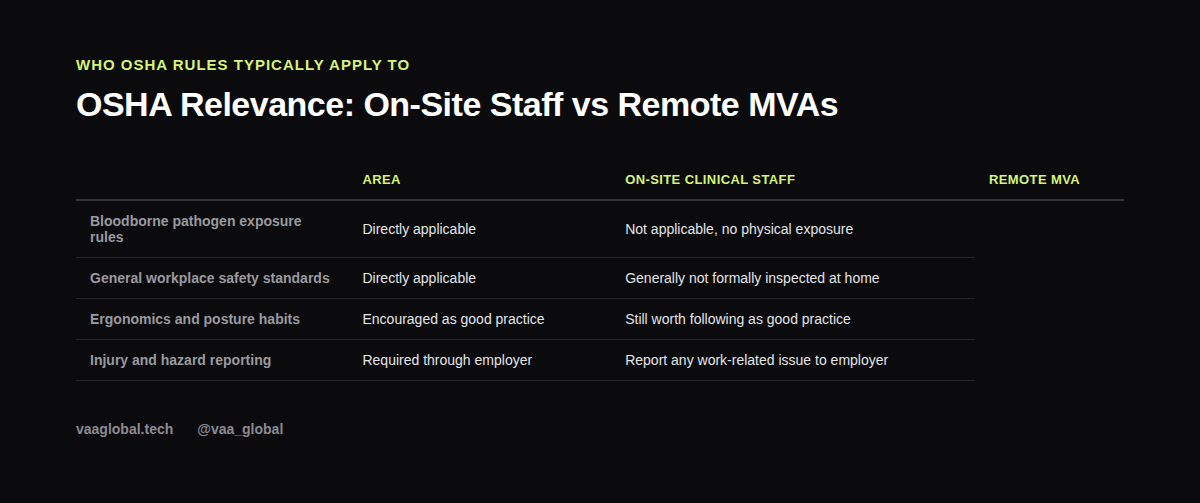
Zooming out, what does OSHA regulate in healthcare settings overall? Mostly the physical risks tied to on-site clinical work: things like bloodborne pathogen exposure, hazardous chemical handling, and general facility safety for staff who work directly with patients and lab materials day to day.
What Still Matters for a Remote MVA
Even without formal inspections, a few things genuinely help: setting up a workspace with decent posture support, taking regular breaks from a screen, and keeping cables and equipment tidy to avoid simple accidents. For practical tips on this, our guide on home office setup covers the basics of building a safe, comfortable workspace.
Employer Responsibilities Don't Disappear
Even for remote staff, employers generally still carry some responsibility around workplace safety and injury reporting, though the specifics vary depending on local labor laws and the employer's own policies. If something work-related genuinely affects your health, such as a repetitive strain injury from long hours at a desk, it's worth reporting to your employer rather than quietly dealing with it alone.
Why This Topic Still Comes Up in MVA Training
Because many MVA roles support US-based practices, some employers mention OSHA awareness simply so staff understand the broader compliance environment their practice operates in, even if the remote assistant's own daily work doesn't fall under OSHA's direct jurisdiction. Knowing the basics shows you understand the full picture of how a compliant healthcare practice operates.
How Does OSHA Differ From HIPAA?
A common point of confusion for beginners is how OSHA differs from HIPAA. OSHA is about physical workplace safety, while HIPAA is about protecting patient health information, and both reflect the same broader idea: healthcare work comes with real compliance obligations. If you want a refresher on the HIPAA side, see our guide on HIPAA for beginners.
What Safety Habits Actually Matter for Remote MVAs?
So, what safety habits matter for remote MVAs in practice, even without formal oversight? Good posture, regular screen breaks, a tidy workspace free of trip hazards, and honest communication with your employer if something work-related starts affecting your health. These habits cost nothing and genuinely protect you over a long remote career.
Getting the Facts Right, Not Guessing
If you're ever unsure exactly how OSHA rules might apply to a specific employer or situation, the right move is to check the authoritative source rather than guess. The official OSHA website at OSHA.gov covers current standards in detail, and it's a far more reliable reference than secondhand summaries.
A Realistic Home Office Safety Checklist
A few simple habits go a long way: a chair that supports your back, a monitor at eye level, a few minutes of movement every hour, and a workspace free of obvious trip hazards like loose cables. None of this requires special equipment, just a bit of intentional setup before you start working long hours.
The Bottom Line
Medical virtual assistant OSHA compliance basics mostly come down to understanding what OSHA covers, recognizing that remote home offices sit outside most of its formal rules, and still practicing good workplace safety habits anyway. Build those habits early, and you'll protect your own health while sounding informed about the broader compliance landscape. VAA Global's Medical Virtual Assistant Training is a 6-module, beginner-level course covering HIPAA compliance, healthcare administration, and remote work readiness, with no prior medical background required, plus job assistance after graduation.