If you've been researching remote healthcare admin roles, you've probably run into medical virtual assistant DrChrono basics while reading through job descriptions for independent practices. DrChrono is a cloud-based EHR and practice management platform, often chosen by independent doctors, specialty clinics, and smaller provider groups who want a flexible, mobile-friendly system. Understanding what it does, and what an assistant typically handles inside it, helps you talk about it confidently even without hands-on experience.
What Is DrChrono Used For?
So, what is DrChrono used for day to day? Independent practices use it to schedule patients, document visits, and submit insurance claims, much like other EHR systems. However, DrChrono is also known for its mobile-friendly design, since many of its users are solo physicians who want to check schedules or review charts from a phone or tablet between appointments.
Do Medical Virtual Assistants Use DrChrono?
Yes, frequently. Independent providers often can't afford a large in-office administrative team, so once a practice uses DrChrono, it typically hires remote assistants to manage scheduling, messaging, and basic billing tasks inside it instead. As a result, this platform shows up often in job listings aimed at solo-practice support roles.
Where the MVA Role Typically Sits
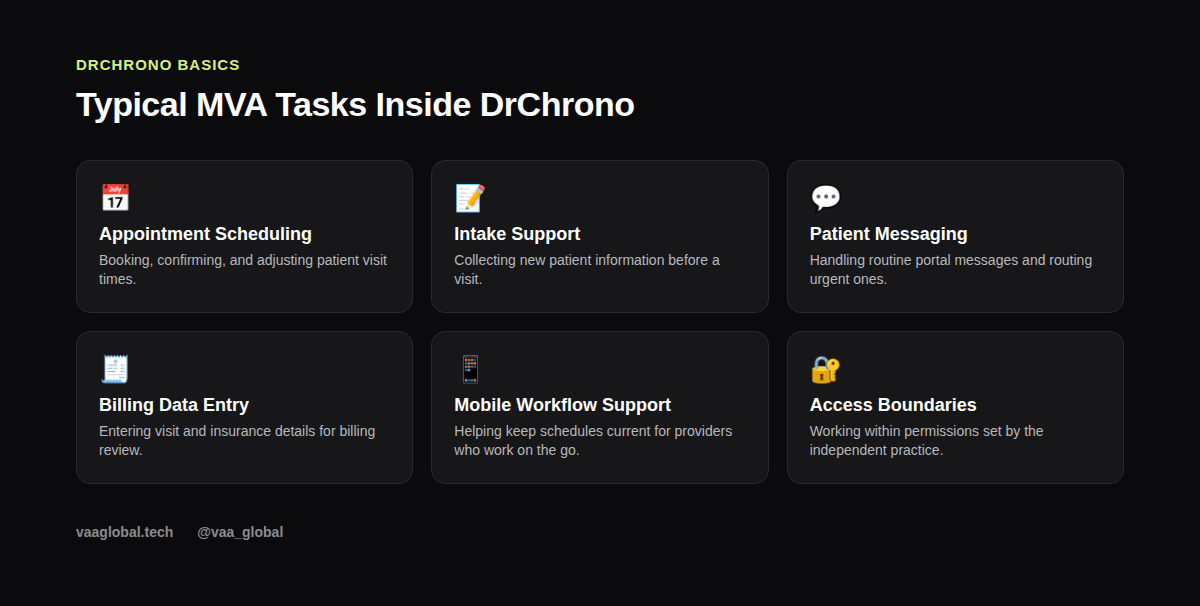
An MVA working with DrChrono usually handles front-office tasks: confirming appointments, updating patient contact information, and responding to routine portal messages. Clinical documentation and treatment planning stay with the licensed provider, since those decisions require medical training an administrative assistant isn't expected to have.
How DrChrono Compares to Other Platforms
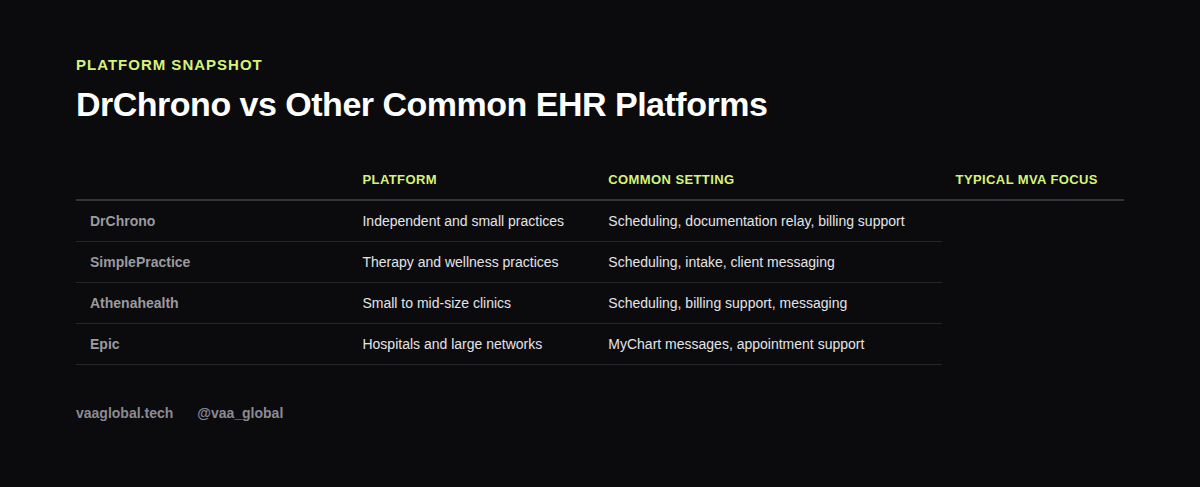
DrChrono shares many core features with other EHR systems, even though its target audience, independent practices, differs a bit from hospital-focused platforms like Epic. For a wider comparison, see our guide on medical virtual assistant tools and software comparison, which lines up DrChrono against Athenahealth, SimplePractice, and Epic.
Scheduling Is Usually the Starting Point
Because independent practices run on tight schedules, keeping the calendar accurate matters enormously. An MVA typically owns this responsibility, from booking new patients to managing same-day cancellations. Our broader guide on appointment scheduling covers techniques that apply whether a practice runs on DrChrono or any other system.
How Does DrChrono Billing Work?
At a basic level, how does DrChrono billing work for an MVA? A visit gets documented, billing codes get attached by the provider or a biller, and a claim gets generated and submitted to the patient's insurer. An assistant's role is usually limited to entering accurate visit and insurance details early in that process, not assigning codes or disputing denied claims. Our piece on medical billing tasks breaks this boundary down further.
Keeping Patient Data Secure
Like any EHR, DrChrono holds protected health information, so HIPAA rules apply to every login, message, and edit. Stick to your own credentials, avoid sharing screenshots of patient data, and follow the practice's exact access rules. For the authoritative source on HIPAA requirements, see HHS.gov.
Mobile-Friendly Workflows Change the Pace
Because many DrChrono users check charts and schedules from a phone between patients, an MVA supporting a DrChrono practice often needs to respond quickly to last-minute schedule changes. This is different from a slower-paced hospital environment, where larger administrative teams absorb those changes. Consequently, being comfortable with quick turnaround messages and same-day scheduling adjustments is a genuinely useful skill in this niche.
A Realistic Day in the Role
A typical day might start with reviewing overnight patient messages, confirming the next day's appointments, and following up on any missing intake information. Later, there might be time blocked for entering newly completed visit details into the billing queue. None of this requires a clinical background; instead, it rewards attention to detail and dependable communication.
Is DrChrono Hard to Learn for a Beginner?
Not especially for most beginners, once you already understand general EHR and scheduling logic. Most new assistants get comfortable with the parts they use most, like the calendar and messaging inbox, within their first couple of weeks on the job. So if you're wondering whether DrChrono is hard to learn for a new MVA, the honest answer is that solid onboarding matters far more than prior exposure to this specific platform.
Getting Ready Before You're Hired
You won't get free public access to DrChrono before landing a job, and that's normal across almost every EHR platform. Instead, focus on building transferable skills: medical terminology, general scheduling workflows, and a solid grasp of HIPAA. Once you're hired, most practices walk new assistants through their exact DrChrono setup during the first week or two, and that short runway is usually all it takes to feel comfortable.
The Bottom Line
Medical virtual assistant DrChrono basics boil down to understanding what the platform manages, where an assistant's responsibilities begin and end, and how to speak about EHR workflows honestly in an interview. You don't need direct DrChrono hours to get started; you need the underlying administrative and EHR skills that transfer to it. VAA Global's Medical Virtual Assistant Training is a 6-module, beginner-level course covering EHR concepts, HIPAA compliance, and medical billing basics, with no prior medical background required, plus job assistance after graduation.