The common SEO mistakes beginners make usually aren't exotic technical problems — they're basic habits that quietly keep a website from ranking at all, no matter how much content gets published. Because these mistakes repeat across almost every new site, learning to spot them early can save months of wasted effort.
Mistake 1: Keyword Stuffing
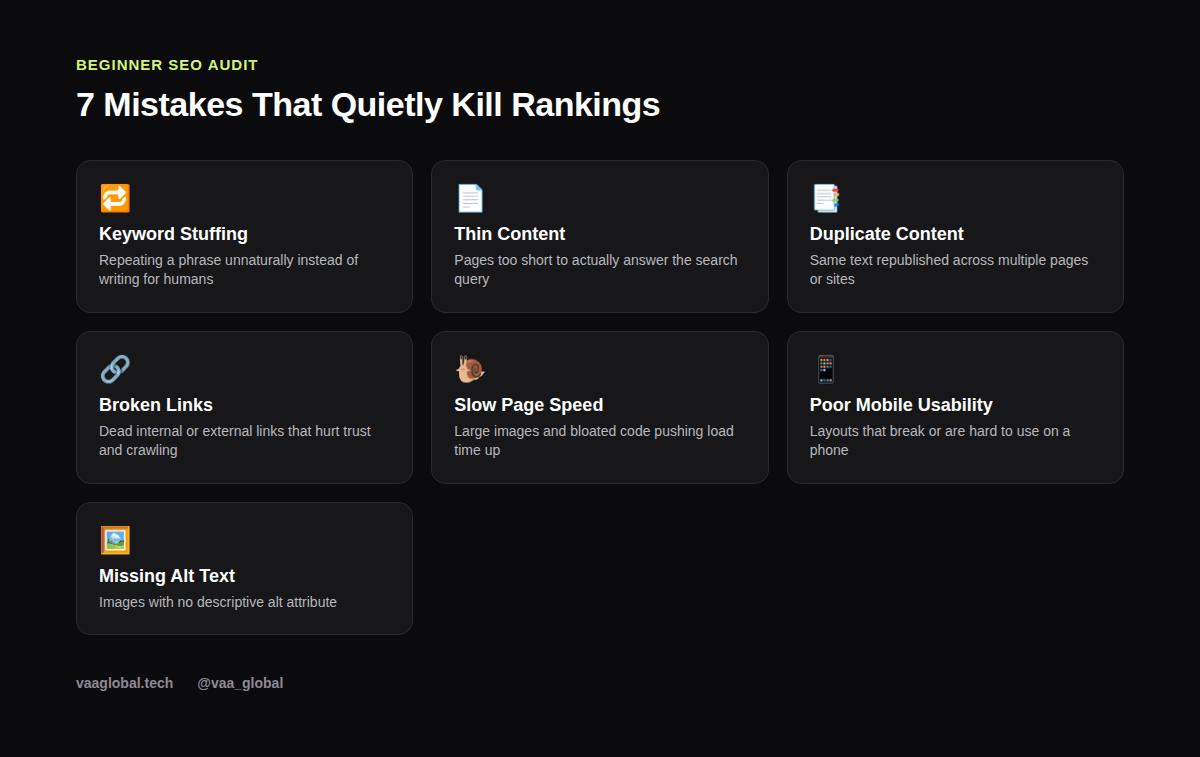
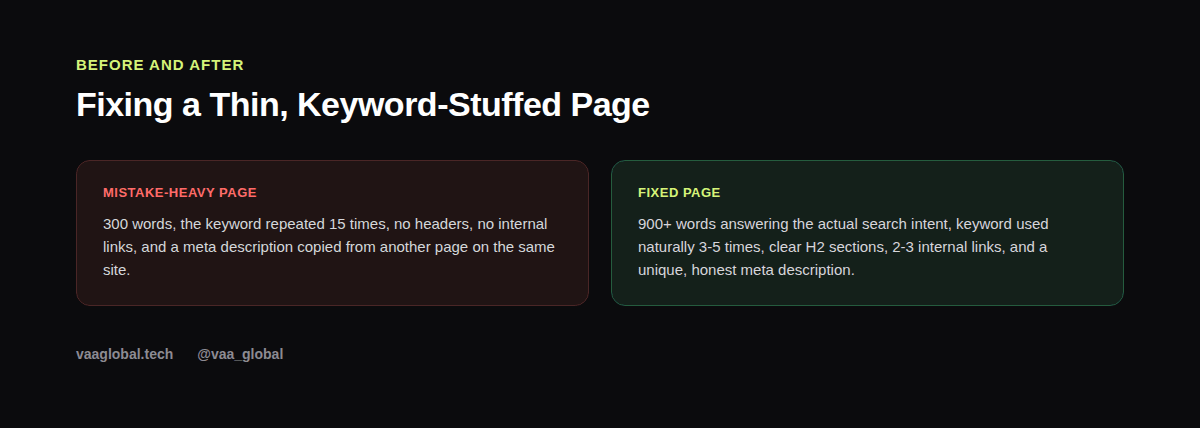
Keyword stuffing is when a beginner repeats the same phrase over and over, assuming more mentions equals better rankings. However, modern search engines are very good at detecting unnatural repetition, and stuffed content reads badly to real visitors too. The fix is simple: use your focus keyword naturally, aim for roughly 0.5-2% density, and use synonyms and related phrases instead of repeating the exact same words.
Mistake 2: Publishing Thin Content
Thin content is a page that's too short or too shallow to actually satisfy the search intent behind a query. A 300-word article competing against 1,500-word competitor pages rarely wins, because it simply doesn't answer enough of the reader's questions. Before publishing, check what's currently ranking for your target keyword and make sure your page covers the topic at least as thoroughly.
Mistake 3: Duplicate Content
Duplicate content happens when the same text appears on multiple pages of your own site, or gets copied from another site entirely. Search engines struggle to decide which version to rank, so often neither one performs well. Use canonical tags when you genuinely need similar pages, and otherwise just write unique content for each URL.
Mistake 4: Leaving Broken Links Unfixed
Broken links — internal or external — hurt both user experience and crawlability. If Google's crawler keeps hitting dead ends on your site, it wastes crawl budget and may conclude your site is poorly maintained. Run a free broken-link check every few months and fix or remove anything that 404s.
Mistake 5: Ignoring Page Speed
Slow page speed, often caused by uncompressed images or bloated code, directly affects both rankings and bounce rate. Visitors leave within seconds if a page takes too long to load, and that signal tells search engines the page isn't a great result. Compressing images and removing unnecessary scripts usually solves most of this without needing a developer.
Mistake 6: Poor Mobile Usability
Since the majority of searches now happen on phones, a site that's hard to use on mobile loses both rankings and real visitors. Text that's too small, buttons placed too close together, and layouts that require horizontal scrolling are all red flags. Google's own Mobile-Friendly Test is free and flags these issues quickly.
Mistake 7: Skipping Alt Text and Meta Descriptions
Missing alt text on images and copy-pasted or missing meta descriptions are small details, but they add up. Alt text helps both accessibility and image search, while a unique, honest meta description improves click-through rate from the search results page. Neither takes more than a minute per page, so there's little excuse to skip them.
Why Is My Website Not Ranking on Google?
If you've fixed the mistakes above and your site still isn't ranking, check three things: whether the site is simply too new to have built authority yet, whether a technical issue is blocking Google from crawling it (Google Search Console will show this clearly), and whether your content genuinely matches the search intent of the keyword you're targeting. For a step-by-step approach to finding the right keywords in the first place, see how to do keyword research as a beginner.
How to Build the Habit of Catching These Early
Instead of fixing mistakes after the fact, build a short pre-publish checklist: check keyword density, confirm the content is thorough enough, scan for broken links, compress images, and test on mobile. This habit matters more long-term than any single fix, and it's exactly the kind of process-thinking interviewers ask about — see SEO interview questions and answers for how this comes up in real interviews.
Learning SEO the Right Way From the Start
Many beginners pick up these bad habits because they learned SEO from scattered blog posts instead of a structured curriculum. If you want to build good habits from day one, it's worth looking at what SEO is and how you build a career in it and where to learn SEO in Nigeria before you keep publishing content with these mistakes baked in.
What SEO Mistakes Should I Avoid as a Beginner, Specifically?
If you only remember one rule, make it this: write for the person searching first, and for the search engine second. Beyond the seven mistakes above, beginners also commonly ignore internal linking entirely, forget to update old content that's gone stale, and publish without checking how a page actually performs on mobile. Each of these is a small thing individually, but together they compound into a site that never quite gains traction.
How Do I Fix Duplicate Content Issues Once I Find Them?
Start by identifying which pages overlap, using a free site:search in Google (type "site:yourdomain.com" followed by a phrase from the duplicated text) to see how many pages contain it. Then pick the stronger page to keep, rewrite or merge the weaker one, and add a canonical tag pointing to the version you want indexed. Redirect the removed page if it had any existing traffic or links, so you don't lose that value.
The Bottom Line
Most of the common SEO mistakes beginners make come down to rushing — publishing before checking keyword density, content depth, broken links, speed, and mobile usability. Catch these early and your content has a real shot at ranking instead of quietly sitting unseen. VAA Global's 10-week SEO Optimization course covers technical SEO, on-page SEO, and analytics in depth so these mistakes don't happen in the first place.