Getting familiar with the main supply chain software tools beginners should know makes a real difference in interviews. Even if you've never used the exact platform a company runs, understanding what each category of tool does shows real knowledge. It proves you grasp how modern supply chains actually operate. You don't need to be an expert in any one system. You just need to know the landscape.
Why Software Knowledge Matters at the Entry Level
You might think software expertise comes later, after you land a job. However, even naming the right categories in an interview signals real homework. It shows you didn't just skim a job description once. Many entry-level tasks involve pulling reports or updating records in one of these systems. As a result, basic familiarity shortens your learning curve once you're hired too.
ERP Systems: The Backbone of Modern Supply Chains
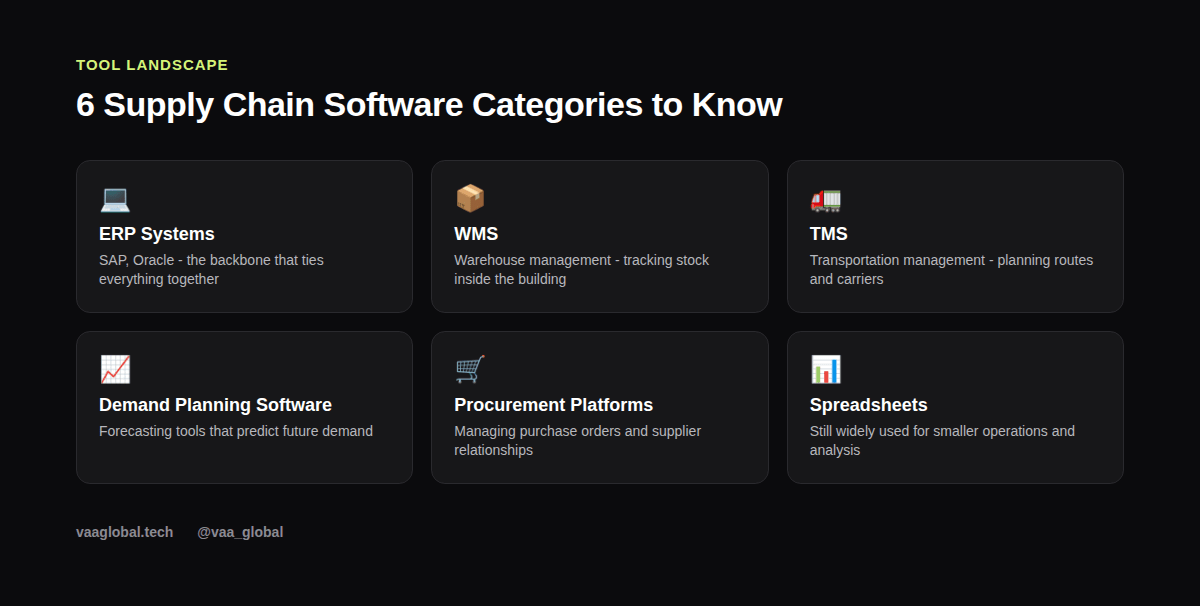
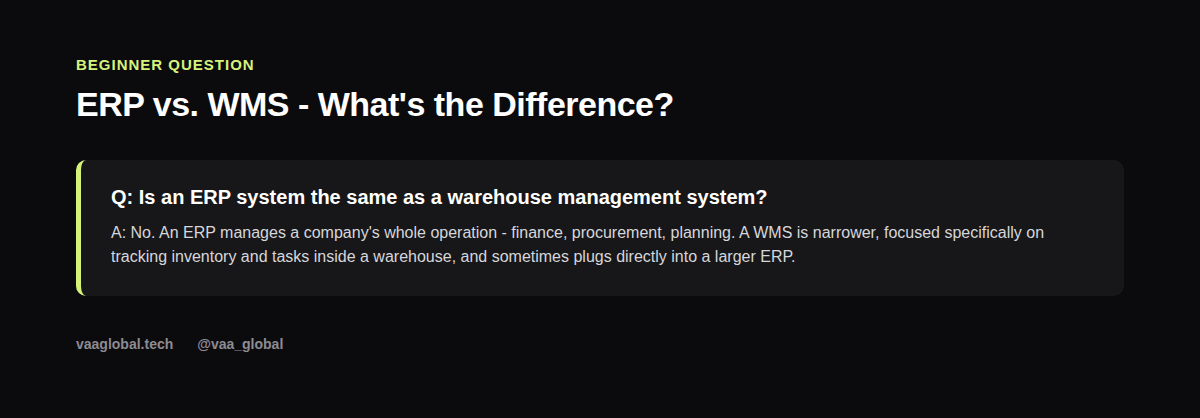
An ERP (Enterprise Resource Planning) system ties together a company's finance, procurement, inventory, and planning functions into one connected platform. SAP and Oracle are the two most widely used ERP systems in large companies, though smaller businesses often use lighter alternatives. Do I need to know SAP for a supply chain job? Not strictly, for most entry-level roles — but familiarity with how ERP systems work in general is a genuine advantage, since nearly every mid-size or large employer runs one.
Warehouse Management Systems (WMS)
A WMS focuses specifically on what happens inside a warehouse: tracking inventory locations, managing picking and packing, and recording stock movements in real time. What is the difference between ERP and WMS? An ERP manages the whole business, while a WMS is narrower and deeper, focused purely on warehouse operations, sometimes feeding its data up into a larger ERP system.
Transportation Management Systems (TMS)
A TMS handles the logistics side of the business — planning shipping routes, selecting carriers, tracking shipments, and managing freight costs. If a company moves a lot of physical goods, a TMS is usually how they keep transportation organized and cost-efficient, instead of coordinating everything manually through emails and spreadsheets.
Demand Planning Software
Demand planning software uses historical sales data, seasonality, and sometimes external market signals to forecast future demand. This forecast then feeds directly into inventory management decisions, like how much safety stock to hold and when to reorder. Understanding this connection is worth reviewing alongside inventory management basics for beginners, since the two topics overlap heavily in practice.
Procurement Platforms
Procurement platforms manage the purchasing side of the business: requesting quotes, issuing purchase orders, and tracking supplier performance over time. These tools help a procurement team stay organized across potentially hundreds of active suppliers, and they often integrate directly with the company's broader ERP system.
Spreadsheets: Still Everywhere, Still Useful
Despite all the specialized software above, spreadsheets remain genuinely common, especially at smaller companies or for one-off analysis that doesn't justify a dedicated tool. Comfort with spreadsheet formulas for things like reorder point calculations or basic forecasting is, honestly, one of the most practical skills a beginner can build, because it's useful regardless of which specific ERP or WMS a future employer happens to use.
What Software Do Supply Chain Jobs Actually Use Day to Day?
In practice, a typical entry-level employee might pull a report from an ERP system, check stock levels in a WMS, update a spreadsheet for a quick analysis, and occasionally touch a TMS dashboard to check a shipment's status — all within a single day. This is why the goal isn't mastering every tool, but recognizing what each one is for and how they connect, which is exactly what's covered in the SCOR model explained for beginners.
How to Practice Without Access to Expensive Software
You don't need a corporate license to start learning. Several ERP vendors, including SAP's own learning resources, offer free trial or demo environments. Beyond that, building a mock inventory tracker or a simple demand forecast in a spreadsheet teaches the same underlying logic these specialized tools automate, just in a more manual form. This kind of hands-on practice pairs well with how to break into supply chain with no experience.
How These Tools Connect to the Rest of the Supply Chain
None of these tools work in isolation. A demand forecast from planning software feeds into inventory decisions, which then trigger procurement activity, which eventually shows up as a shipment tracked in a TMS. Seeing this chain of cause and effect is more valuable in an interview than naming individual software brands, because it shows you understand the process these tools are automating, not just the tools themselves.
A Quick Self-Check Before Your Next Interview
Before walking into your next interview, make sure you can answer three quick questions out loud. First, what does ERP stand for, and what does it manage? Second, how is a WMS different from a TMS? Third, where do spreadsheets still fit, even in a company with fancy software? If you can answer all three confidently, you're genuinely ahead of most beginner candidates.
The Bottom Line
You don't need to master every platform on this list to be job-ready. Knowing these core supply chain software tools beginners should know — what ERP, WMS, TMS, demand planning, and procurement platforms actually do — is enough to sound credible and learn fast once you're hired. VAA Global's 6-week Supply Chain Management Certification covers ERP systems alongside sourcing, procurement, demand planning, inventory management, and logistics.