How to win jobs on Upwork comes down to a repeatable process, not luck: a properly set up account, a profile that signals competence in seconds, a smart way of spending your Connects, and proposals written for the client's specific problem instead of a generic pitch. This guide walks through the entire process end to end, from creating your account to landing repeat clients.
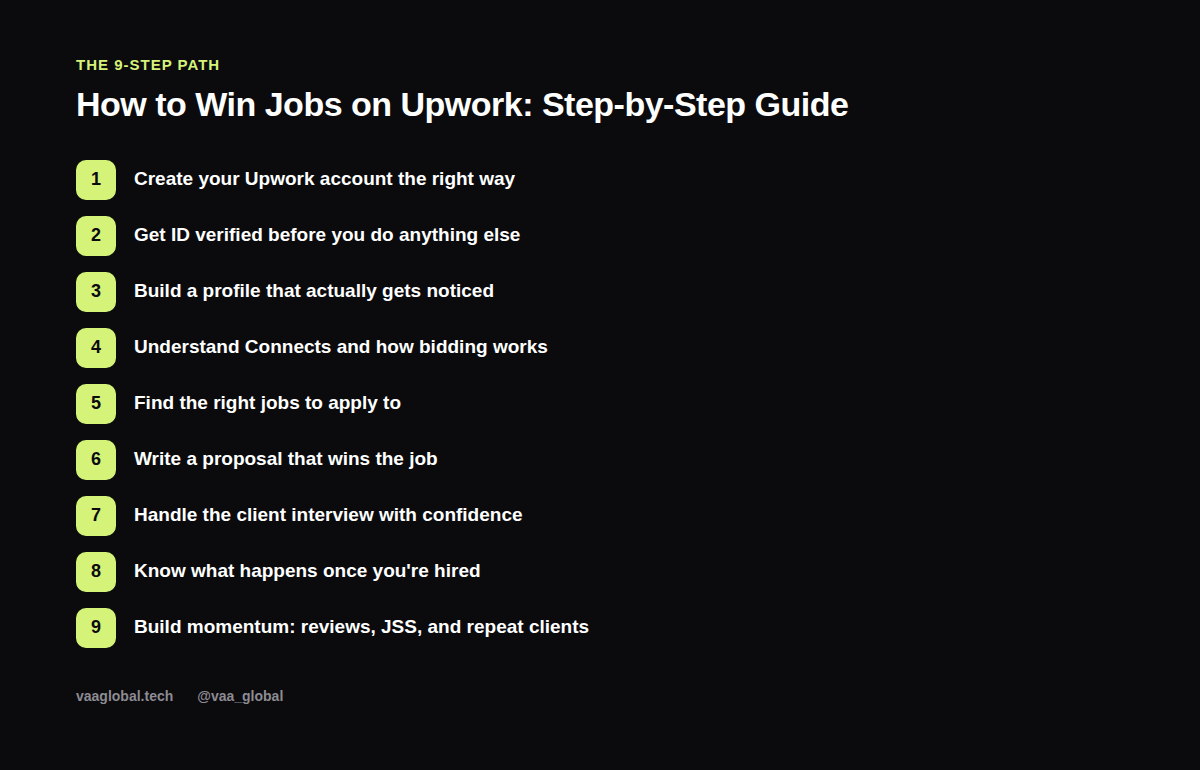
Step 1: Create Your Upwork Account the Right Way
Knowing how to create an Upwork account properly from the start saves rework later. Sign up at upwork.com and choose the freelancer account type, not a client account, since the two have very different setup flows. Use your real name and a professional email address. Upwork will ask you to select your primary category and skills during onboarding. Choose carefully here, since this shapes which jobs get recommended to you early on. Avoid rushing through this step just to get to the dashboard. It sets the foundation for your entire profile.
Step 2: Get ID Verified Before You Do Anything Else
Upwork requires identity verification before you can submit proposals on most account types. This usually means uploading a government-issued ID and sometimes a short video or photo step. Do this immediately after signing up rather than waiting, since verification can take time to process and an unverified account can't apply to jobs. Make sure your ID details match your profile name exactly to avoid delays.
Step 3: Build a Profile That Actually Gets Noticed
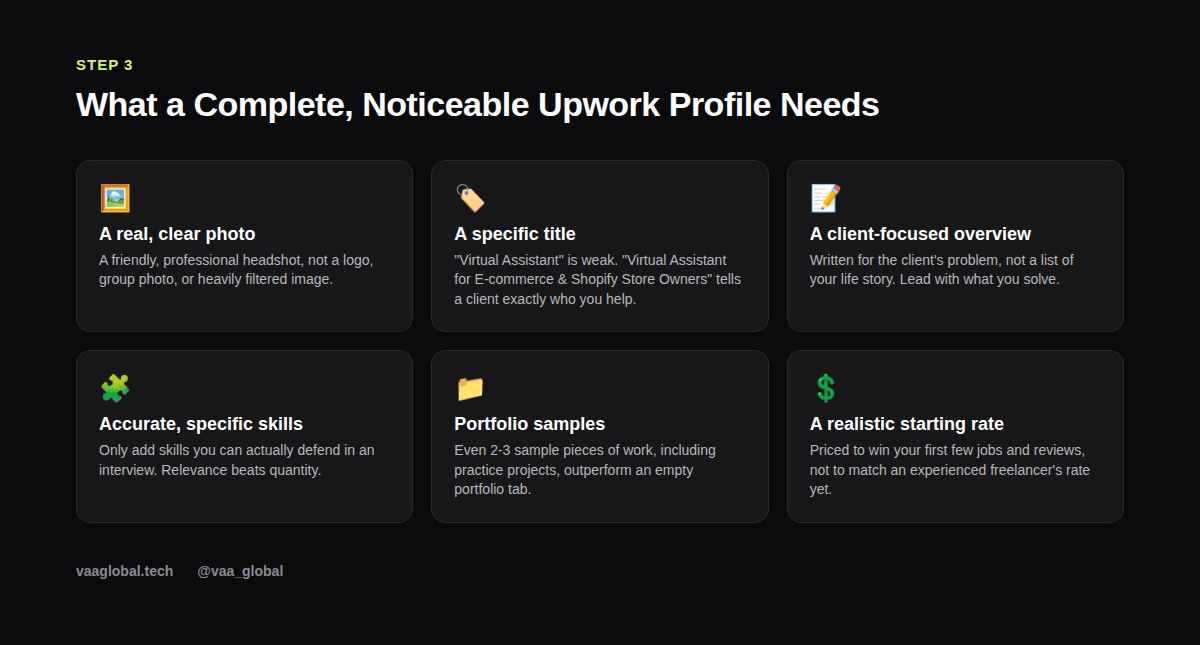
Clients scan dozens of profiles quickly, so each section has to earn its place. Your title should name a specific audience or outcome, not just a job title. Your overview should open with the client's problem, not your personal background. List only the skills you can genuinely defend in an interview, since Upwork lets clients filter by skill and a mismatch gets noticed fast. Add two or three portfolio samples, even practice projects count, since an empty portfolio tab is a common reason qualified beginners get passed over.
Step 4: Understand Connects and How Bidding Works
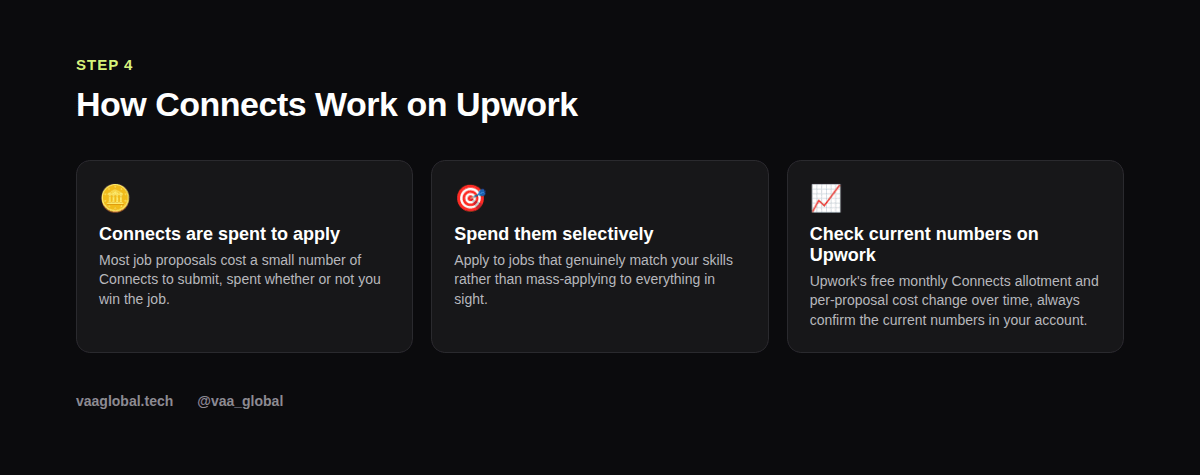
Upwork uses a credit system called Connects to apply to jobs. Most proposals cost a small number of Connects to submit, spent whether or not you win the job, which is exactly why applying selectively matters more than applying to everything you see. Upwork's free monthly Connects allotment and per-proposal pricing change over time, so always check the current numbers in your own account rather than relying on an old figure you read somewhere. Upwork's own Connects help page is the most reliable place to confirm current pricing and your monthly allotment.
Step 5: Find the Right Jobs to Apply To
Use Upwork's search filters (category, experience level, client history, hourly vs. fixed-price) to narrow down to jobs that genuinely match your skill set. A few red flags worth watching for: a client with no payment method verified, a budget wildly below market rate for the described scope, or a job post that's vague about what success looks like. None of these automatically disqualify a job, but they're worth factoring into whether to spend a Connect on it.
Step 6: Write a Proposal That Wins the Job
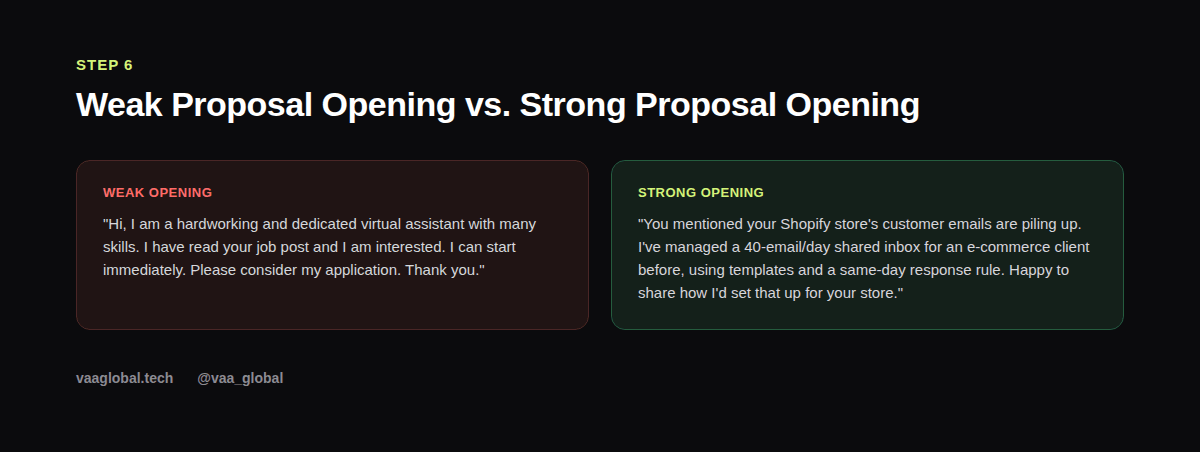
The biggest difference between proposals that get ignored and proposals that get replies is specificity. Open by referencing something concrete from the actual job post, not a generic greeting. Then connect it to a real, brief example of relevant experience. Close with a clear next step, like a short question about their current process, rather than just "let me know." Keep the whole thing tight: a long proposal signals you didn't read the room, not that you're thorough.
Our deeper dive on why Upwork proposals get rejected covers more of the specific mistakes to avoid once you've got the basic structure down.
Step 7: Handle the Client Interview With Confidence
A reply or interview request means your proposal worked, the interview is where the job actually gets decided. Clients are usually checking for two things: can you actually do what you said, and are you easy to work with. Answer questions specifically, using real examples rather than general claims. If you don't know something, say so honestly and explain how you'd find out, that's far more reassuring to a client than an overconfident guess.
Step 8: Know What Happens Once You're Hired
Upwork contracts are either hourly (tracked through Upwork's time tracker, which takes periodic screenshots) or fixed-price (usually paid through milestones you and the client agree on upfront). Read the contract terms carefully before accepting, especially milestone amounts and deadlines for fixed-price work. Our guide on what belongs in every freelance contract is worth reviewing even on platform-managed contracts, since understanding the terms protects you either way.
Step 9: Build Momentum: Reviews, JSS, and Repeat Clients
Once you understand how to get hired on Upwork for a first contract, the real compounding begins. Your Job Success Score (JSS) and client reviews build over time, so each well-delivered job makes the next one easier to win. Finishing your first few contracts reliably, communicating proactively if something will be late, and asking satisfied clients for a review afterward all build toward a profile that eventually gets invited to jobs instead of only applying to them. Many experienced freelancers get the bulk of their income from repeat clients rather than constantly chasing new proposals, so treating your first clients well pays off well beyond the first contract.
For the Nigeria-specific side of getting started, including payment setup, our guide on starting freelancing on Upwork as a Nigerian and our piece on receiving international payments as a Nigerian freelancer cover the practical logistics this guide doesn't.
The Bottom Line
How to win jobs on Upwork ultimately comes down to a learnable process: a properly verified account, a specific client-focused profile, selective proposal spending, and proposals written for the client's actual problem. VAA Global's Freelancing (with Focus on Upwork) Course is a 10-week program built specifically around this platform, covering profile optimisation, finding and winning jobs, pricing, client communication, delivering outstanding work, and building a freelance business.